Quick Summary:
Choosing the best billing software in the UAE becomes important when invoices, VAT records, stock updates, and payment follow-ups start taking up too much time.
This guide compares the best invoicing software options for small businesses, retailers, service firms, wholesalers, and growing UAE companies.
You’ll walk away learning:
- Which billing and invoicing platforms are worth comparing
- What UAE businesses should check before choosing a software
- How each option compares on features, pricing, pros, cons, and business fit
A missed payment update, wrong VAT detail, or stock entry that was not recorded can create extra work at the end of the day. For a UAE supermarket, even one busy checkout hour can create mismatches if billing and stock do not update together.
For many UAE businesses, billing sits close to VAT, customer records, stock updates, payment follow-ups, accounting, and cash flow. The best invoicing software for small businesses should make these daily records easier to manage from a single place.
What to Look for in Billing Software for UAE Businesses
The right billing software for a small business should match how your UAE business sells, collects payments, and records taxes.
A freelancer can work with simple billing tools. A supermarket usually needs POS billing, barcode scanning, VAT fields, stock updates, and sales reports.
Look for software that supports:
- VAT-ready invoices with TRN and tax details
- Invoice automation and payment reminders
- Inventory updates after each bill
- E-invoice integration
- Multiple payment modes
- Advance payment tracking
- Multi-currency support
- Reports for sales, dues, profit, tax, and customer performance
In the UAE, resident businesses must register for VAT once taxable supplies and imports exceed AED 375,000 in the past 12 months, or are expected to exceed that amount within 30 days. Billing software should help keep these invoices and tax records easy to check.
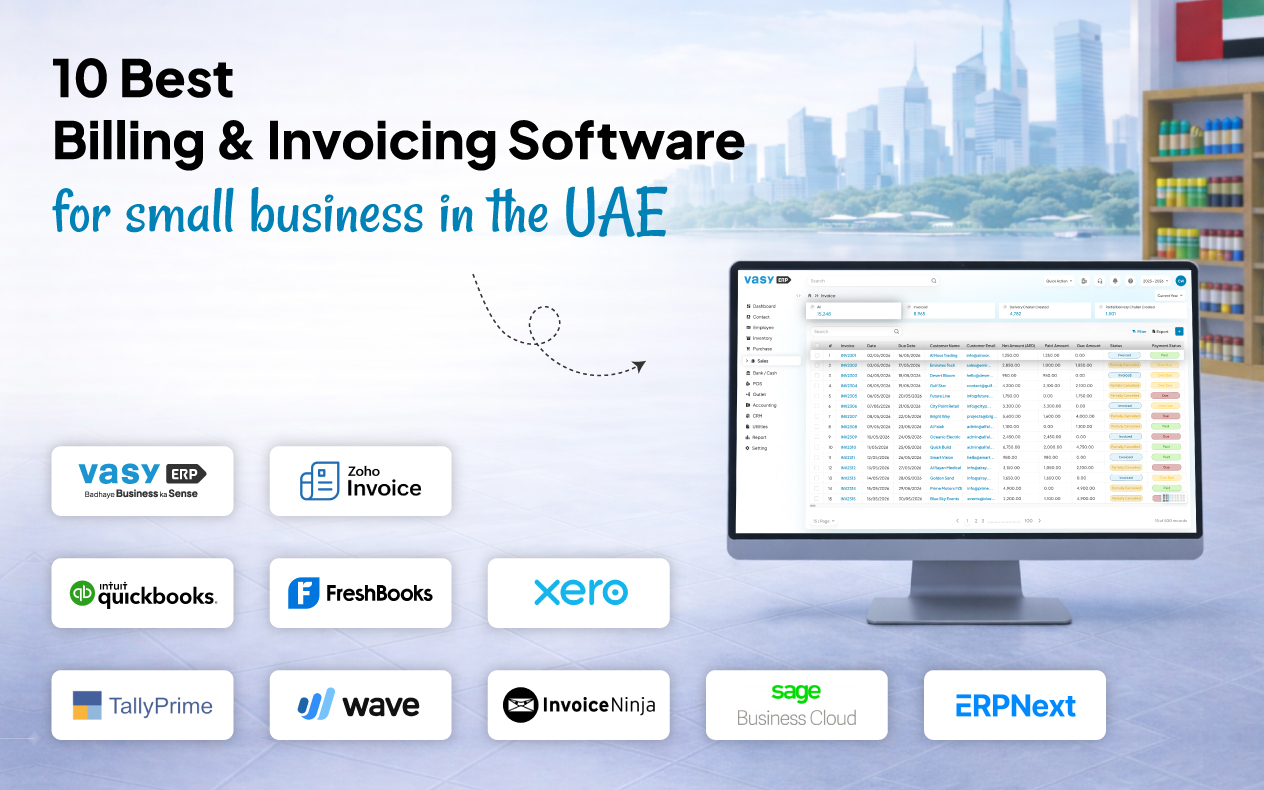
Top 10 Billing Software in the UAE
The tools below are suited to different business needs, from basic invoice creation to retail billing, stock control, and branch-level reporting. Use the comparison to see where each option fits best.
1. VasyERP
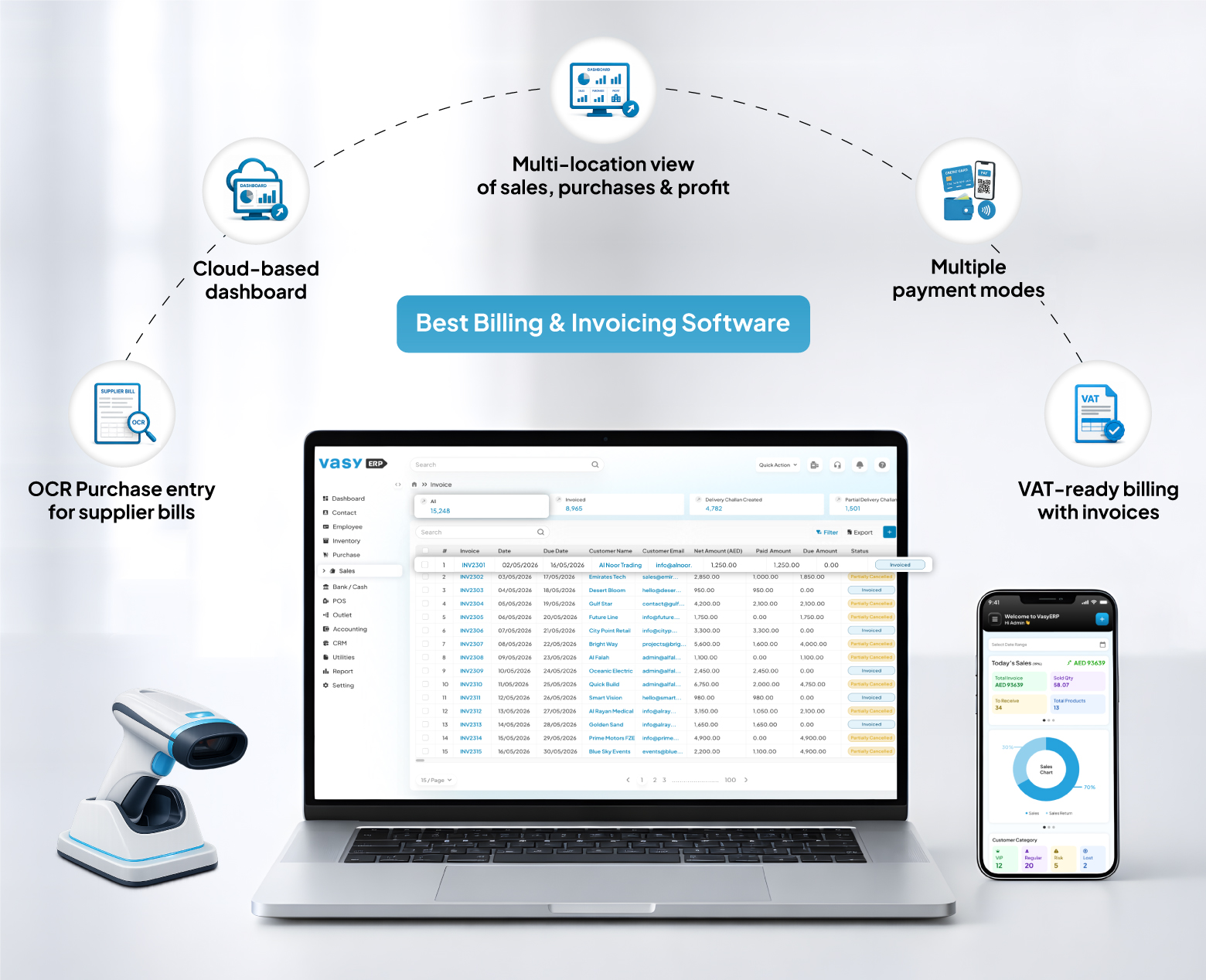
VasyERP is a cloud ERP for retail, distribution, manufacturing, and multi-location businesses. It brings billing, POS, stock, accounts, CRM, purchases, payments, and reports into one setup.
Key Features:
- VAT-ready billing with invoices, returns, credit notes, and payment records
- E-invoice integration to support structured invoice workflows
- POS billing linked with stock, customers, payments, and reports
- Multiple payment modes for cash, card, UPI, online, and mixed payments
- Advance payment tracking for customer deposits and prepaid orders
- OCR-based purchase entry from supplier bills and scanned invoices
- Multi-location view of sales, purchases, profit, and stock
Pros:
- Keeps billing, stock, purchases, accounts, payments, and reports in the same workflow
- Helps reduce manual reconciliation between checkout sales, stock movement, and payment records
Cons:
- Businesses may need a short onboarding period to use the full billing, inventory, POS, and reporting features effectively
Pricing: Custom pricing
Best For: Retailers, supermarkets, distributors, wholesalers, and businesses that want invoicing software for small businesses with inventory and POS included.
2. Zoho Invoice
Zoho Invoice offers small businesses a free setup to create invoices and track payments. This can be a game-changer for a lot of UAE businesses as invoice generation and handling can be quite a cumbersome affair.
Key Features:
- Branded VAT invoices with tax information
- Payment reminders for unpaid bills
- Recurring billing for retainers and repeat clients
- Time and expense tracking for service work
Pros:
- Free plan works well for small teams and solo users
- Simple layout for invoices, quotes, and follow-ups
Cons:
- Not built for businesses that need POS billing, barcodes, or stock updates
Pricing: Free
Best For: Freelancers, consultants, agencies, and small service businesses.
3. QuickBooks Online
QuickBooks Online is one of the best small business accounting software options for companies that need invoicing, expense tracking, bank feeds, reports, and accountant access.
Key Features:
- Online invoice creation with payment status tracking and customer payment history
- Bank feed connection for matching income, expenses, and payment records
- Expense categorisation to support cleaner bookkeeping and financial reporting
- Accountant access for review, reconciliation, and tax preparation support
Pros:
- Strong accounting depth for businesses that want invoicing and bookkeeping together
- Familiar platform for many accountants and finance teams
Cons:
- Costs can rise as users, features, and add-ons increase
Pricing:
- Simple Start: AED 77/month
- Essentials: AED 114/month
- Plus: AED 169/month
- Advanced: AED 327/month
Best For: Small businesses that prefer one cloud setup for invoicing and accounting.
4. FreshBooks
FreshBooks is made for client billing, especially when work is billed by project, by the hour, or under a monthly agreement. This not only helps keep proper track, but it also makes sure everything is readily available and in one place.
Key Features:
- Professional invoices with due dates and taxes
- Time tracking linked to invoices
- Project estimates and proposals
- Recurring billing for retainers
Pros:
- Simple to manage client invoices and follow-ups
- Strong option for businesses that bill by time or project
Cons:
- Not ideal for retailers or wholesalers that need stock movement linked with billing
Pricing:
- Lite: $23/month
- Plus: $43/month
- Premium: $70/month
Best For: Service-led businesses, consultants, and teams that bill clients by project or time.
5. Xero
Xero is used by small businesses and accountants to handle invoicing, bills, bank reconciliations, reports, and integrations in a single accounting system.
Key Features:
- Create online invoices with payment links and customer details
- Match bank transactions with invoices, payments, and expenses
- Bill management for tracking supplier payments and business expenses
- Multi-currency support on selected plans for businesses working with overseas clients
Pros:
- Good option for growing businesses that want accounting and invoicing together
- Strong integration ecosystem for businesses that use several apps
Cons:
- May need add-ons for deeper inventory, POS, or retail operations
Pricing:
- Starter: $29/month
- Standard: $50/month
- Premium: $75/month
Best For: SMEs that want scalable accounting with invoicing and reporting.
6. TallyPrime
TallyPrime works best for businesses that want their invoices connected with ledgers, tax entries, stock, and bank records.
Key Features:
- Sales and purchase bills with tax and ledger entries
- Profit and loss, balance sheet, cash flow, and ledger reports
- Stock tracking by item, unit, and batch
- Bank reconciliation and payment records
Pros:
- Works well for businesses where accounts guide daily work
- Useful when billing, tax, stock, and finance records need to stay together
Cons:
- Interface may feel less modern than newer cloud-first billing platforms
Pricing:
- TallyPrime Silver: AED 2,340/year
- TallyPrime Gold: AED 7,020/year
Best For: Accounting-focused SMEs, wholesalers, and tax-heavy businesses.
7. Wave Invoicing
Wave is a simple and free invoice software option for freelancers and micro-businesses with basic billing needs.
Key Features:
- Unlimited estimate and invoice creation on the free starter plan
- Customer records for tracking invoice history and payment status
- Basic bookkeeping tools for income, expenses, and business records
- Online payment support in eligible regions
Pros:
- Good free invoice software for very small businesses
- Useful for freelancers who want to avoid complex accounting systems
Cons:
- UAE businesses should check payment support and regional availability before using it
Pricing:
- Starter: Free
- Pro: $19/month
Best For: Freelancers and micro-businesses with simple invoice needs.
8. Invoice Ninja
Invoice Ninja is suited to freelancers and small teams that send regular invoices and want clients to view billing details online.
Key Features:
- Invoices with branding, taxes, due dates, and client information
- Client portal for invoice, quote, payment, and account records
- Recurring billing for service contracts, subscriptions, and repeat clients
- Payment reminders for unpaid and overdue invoices
Pros:
- Makes client-facing billing easier without adding too much complexity
- Good value for freelancers and small service businesses
Cons:
- Not ideal for businesses that need POS billing, barcode scanning, or stock control
Pricing:
- Free
- Ninja Pro: $14/month
- Enterprise: $18/month
- Premium Business+: From $280/year
Best For: Freelancers, consultants, and businesses looking for the best invoice app style experience with custom invoice layouts.
9. Sage Business Cloud
Sage Accounting gives small and medium businesses a cloud-based way to create invoices, review reports, track cash flow, and share records with their accountant.
Key Features:
- Sales invoice creation with tax details, customer records, and payment tracking
- Cash flow and financial dashboards for monitoring business performance
- Bank feed and reconciliation tools for matching payments and expenses
- Expense tracking for supplier bills, purchases, and operating costs
Pros:
- Trusted accounting brand with strong finance and reporting features
- Good for businesses that want invoicing linked with accounting records
Cons:
- Retail-specific POS and inventory features may need add-ons or integrations
Pricing: Custom pricing
Best For: SMEs, accountants, and businesses that want accounting-first invoicing.
10. ERPNext
ERPNext is an open-source ERP with modules for accounting, sales, purchases, inventory, CRM, projects, manufacturing, and HR.
Key Features:
- Sales and purchase billing linked with accounts
- Stock tracking by warehouse, batch, and item movement
- Approval flows with role and permission control
- Open-source modules for sales, buying, accounts, stock, projects, and manufacturing
Pros:
- Gives more control than a basic invoicing tool
- Open-source model can reduce licence dependency for technical teams
Cons:
- Setup, hosting, customisation, and training can take more effort
Pricing:
- Free and open source if self-hosted
Best For: Tech-comfortable SMEs that want open-source ERP with billing and accounting.
Quick Comparison of Billing Software
The table below gives a side-by-side view of the 10 tools covered above. Use it to compare each option by business fit, pricing type, and its strongest area.
| Software | Best For | Pricing Type | Strongest Fit |
|---|---|---|---|
| VasyERP | Retail, wholesale, multi-store | Custom | Billing, POS, stock, accounting |
| Zoho Invoice | Freelancers, consultants | Free | Simple VAT invoicing |
| QuickBooks Online | Accounting-led SMEs | Paid monthly | Invoicing and bookkeeping |
| FreshBooks | Service businesses | Paid monthly | Time billing and client invoices |
| Xero | Growing SMEs | Paid monthly | Accounting and integrations |
| TallyPrime | Finance teams | Paid licence | Accounting and tax control |
| Wave | Freelancers | Free + paid | Basic invoices |
| Invoice Ninja | Small service firms | Free + paid | Custom invoices |
| Sage Accounting | SMEs and accountants | Paid monthly | Accounting reports |
| ERPNext | Technical SMEs | Open source + hosting | ERP with invoicing |
How to Choose the Right Billing Software for Your Business
Start with your billing volume and business model. A boutique may need barcode billing, returns, VAT invoices, customer purchase history, and multiple payment modes at checkout. A law firm may need law firm billing software with time tracking, retainers, approvals, and professional invoices.
If you sell through a physical store, billing should update inventory as soon as a sale is completed. This helps your team avoid selling items that are already out of stock. If your business has more than one branch, location-wise sales, purchase, stock, and profit views can help owners compare performance without waiting for manual reports.
Also, check how the software handles returns, credit notes, and advance payments. For example, a clothing brand processing a return should be able to update the bill, stock, customer record, and payment adjustment without entering the same details again.
UAE e-invoicing readiness is another point to review. Since the Ministry of Finance has issued guidelines and phased rollout plans, businesses should check if their software can handle the required invoice data and e-invoicing process.
Why VasyERP Is a Smart Choice for UAE Businesses
VasyERP is built for businesses where billing is closely linked with daily retail, wholesale, and distribution work. It brings together POS billing, purchases, inventory, accounting, customer engagement, and multi-location visibility into a single connected system.
For a UAE supermarket, stock updates as soon as a bill is generated. This reduces stock mismatches and helps the team keep shelf availability closer to actual sales. For a clothing store, returns and credit notes can be handled with billing and stock records in the same workflow, which saves time during busy sales periods.
For wholesalers and distributors, customer-wise pricing, advance payment records, repeat orders, and B2B ordering workflows make day-to-day billing easier to control. Owners can also track sales, purchases, expenses, stock, and profit across locations without depending on separate branch reports.
Key VasyERP features that support these outcomes include:
- E-invoice integration for structured billing workflows
- Multiple payment modes for smoother checkout and collection
- Advance payment tracking for deposits, prepaid orders, and customer balances
- OCR purchase automation to reduce supplier bill entry time
- Batch-wise inventory and expiry control for better stock accuracy
These features help businesses reduce repeated entries, improve stock accuracy, speed up billing, track dues better, and make faster decisions with cleaner data.
Conclusion
The best billing software for your UAE business depends on what you sell, your invoice volume, and the systems it needs to integrate with.
For retailers, wholesalers, supermarkets, distributors, and multi-store businesses, VasyERP works well because billing connects with stock, POS, accounting, purchases, CRM, and reports in one place. That makes it a strong option for businesses looking for the best invoicing software with operational control beyond invoices.
- 0
- 0
- 0