Quick Summary:
Any business in South Africa or elsewhere that purchases raw materials or components in large volumes and needs a way to track these purchases, especially if multiple vendors are involved. It also needs documentation to verify whether it has received the exact quantity of supplies it has paid for. A Purchase order is the documentation that helps do both, and this post will tell you everything you must know about them.
You'll walk away knowing:
- What Purchase orders are and what purpose they serve.
- How to create one using the right format.
- The entire lifecycle of PO.
- The benefits they offer to your business.
What is a Purchase Order?
A Purchase Order (PO) is a formal document that a buyer issues to a supplier with the intent of purchasing goods or services from them. It outlines very clearly:- The quantities of the items in question.
- At what price was the purchase of said items agreed on?
- Delivery timelines, and
- The terms and conditions of how the payment for the shipment will be cleared.
What Are the Benefits of Using Purchase Orders as a Business?
Purchase orders help solve several problems your business may be experiencing without their use. Here is how making them the standard of your procurement process will benefit you.1. Avoiding Duplicate Orders
Each purchase order carries with it a unique serial number. Before payment, the three-way matching process ensures that payments are released only towards the corresponding document with the unique identifier. This single layer of control can prevent any instances of duplicate payments being processed for the same PO.Did You Know? Trend analysts predict a sharp increase in invoice manipulation in 2026, with criminals using AI document tools to replicate supplier branding and duplicate invoice numbers.
Source:SME South Africa
2. Stronger Vendor Communication
A Purchase order removes any and all ambiguity from the buyer-seller relationship. Everything is always in writing, and in the event any dispute arises, it can be solved easily as both parties can refer to the same document.3. Easier Tracking of Pending and Incoming Purchases
Unlike orders placed over phone calls, POs create a document trail that helps businesses keep track of:- Which POs are pending approval?
- How many have been sent to the various suppliers, and
- How many deliveries against those POs have been made or are pending?
4. Acts as a Legal and Audit-Friendly Document
As touched upon earlier, once accepted by the supplier, a PO becomes a legally binding contract. That legal standing protects the buyer if goods are not delivered and the seller if payment is withheld. A complete PO trail also satisfies the documentation requirements most auditors and tax authorities expect to see during audits.5. Better Control Over Spending
Purchase orders need to be signed by an executive before they can be sent to the supplier. This adds a layer of security where spending can be verified against the allocated budgets before committing payments to the seller.Quick Fact According to Amazon's State of Procurement report of 2025, nearly 21% of senior leaders and decision makers consider managing their procurement budgets one of their biggest challenges.
Source: Silicon
What Does a Purchase Order’s Lifecycle Look Like and Work in Practice?
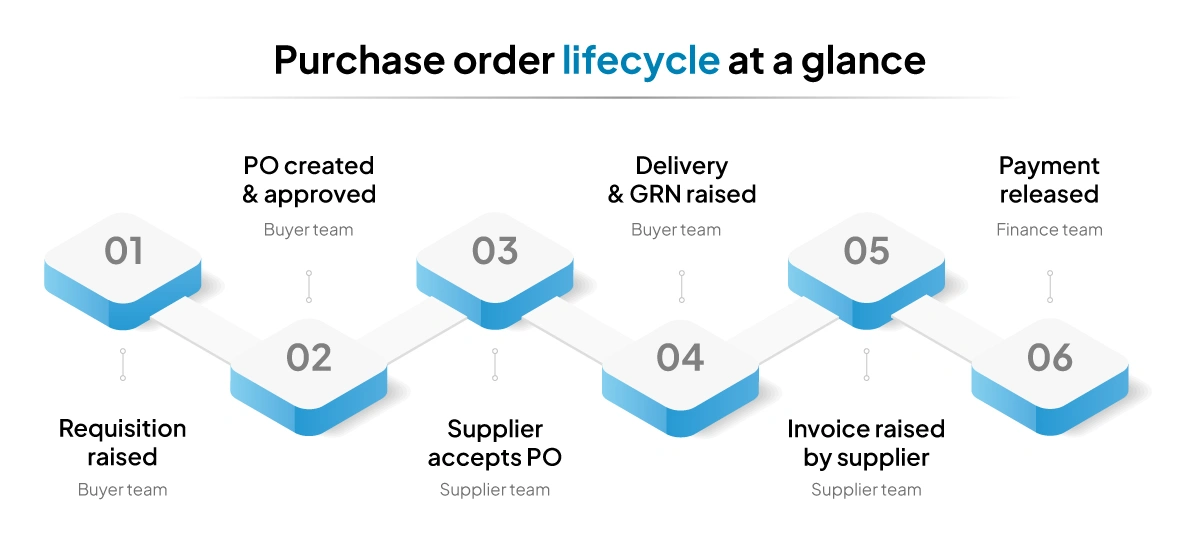
Step 1: A Purchase Requisition Request is Raised
When there is a need for a specific purchase, a member from the procurement team creates an internal document called a purchase requisition form. This form describes what is needed, the estimated cost, and why and is sent to the relevant approver.Step 2: The Purchase Order is Created.
Once the requisition request is approved, then and only then is a purchase order created. Each PO contains a unique identifier, line-item descriptions, quantities, agreed pricing, delivery date, and payment terms. Once all the details are verified, it is sent over to the supplier.Step 3: The Supplier Reviews and Accepts the PO
The supplier then reviews the purchase order. If they do not have the stock or the pricing has changed, the supplier can send a revision request back with the necessary justification for the change. If the changes are agreed upon, the PO is amended and reissued. Once accepted, this document now acts as a legal contract between the two parties.Step 4: The Supplier Fulfills the Order
The supplier delivers the goods or services by the agreed date. This is usually accompanied by a packing list or a delivery note. The team receiving the shipment then verifies if:- The correct items were delivered.
- The quantities match the purchase order.
- The products meet the agreed-upon quality standards.
Step 5: The Payment is Cleared as Per the PO
After the delivery, the supplier sends over the final invoice and receipt to the buyer. Their finance team three-way matches the invoices against the PO and the GRN. If everything is in order, the payment is released to the supplier and and the corresponding debits and credits are recorded in the books.Purchase Order vs Invoice: Don’t Confuse the Two
For anyone who is not well-versed in the formal procurement process, it’s not uncommon to be unable to distinguish a purchase order from an invoice. Both are part of the procurement lifecycle but are two very different, distinct documents.| Purchase Order | Invoice |
| A PO is created by the buyer. | An invoice is created by the seller. |
| It is issued to place an order for the goods. | It is issued after the delivery of the shipment per the purchase order. |
| Its purpose is to list down the requirements of goods or services from the seller, along with the terms and conditions of the deal. | It is a request for payment for the goods or services delivered. |
What Does the Format of a Purchase Order Look Like?
While there is no standardised format for a purchase order, as it can vary from business to business, the information it is supposed to contain is consistent across businesses or industries.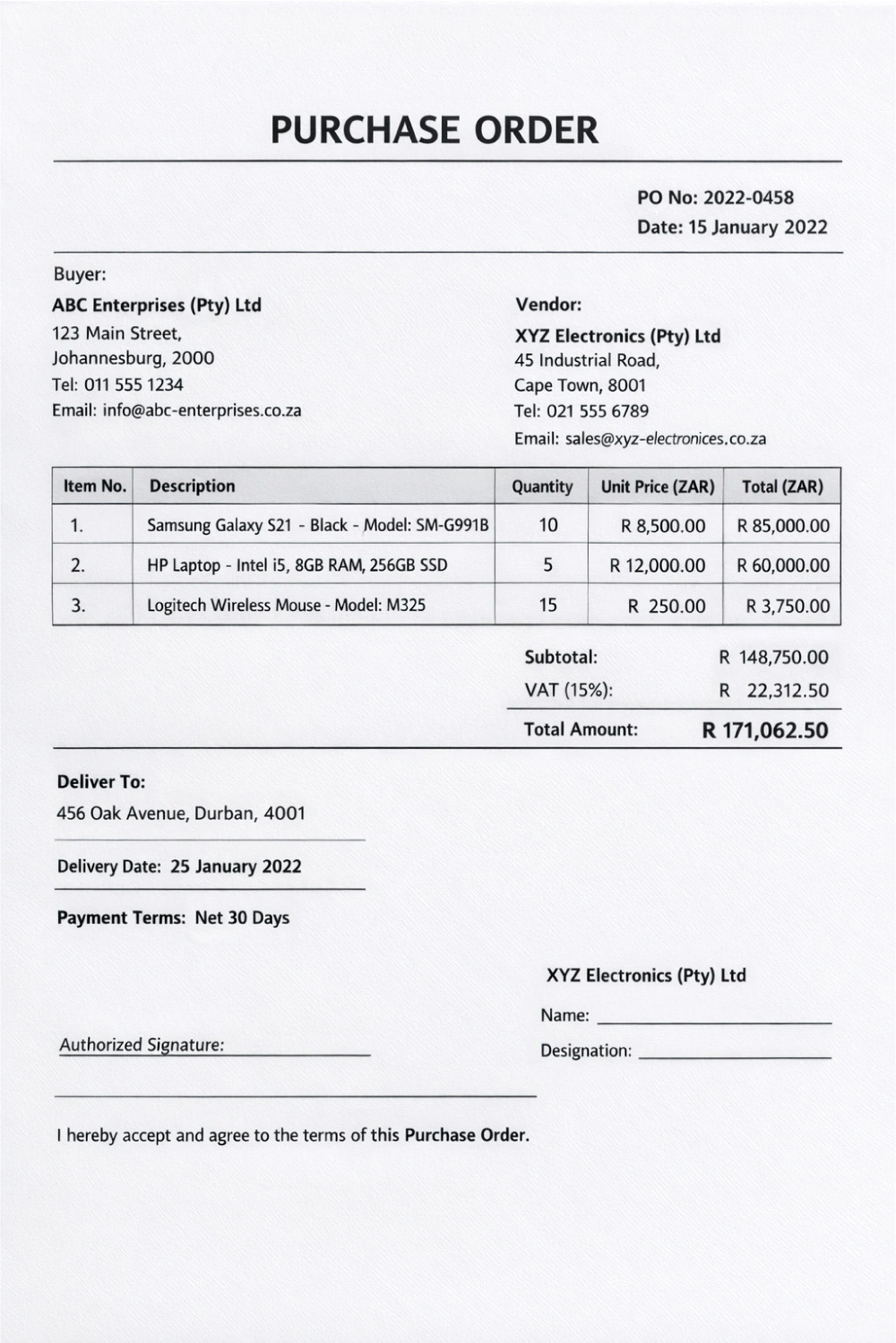
- A purchase order must contain the following fields:
- A string of characters or numbers unique to each PO, a.k.a a PO number.
- The date of issue.
- Key details of the buyer (Name of the business, address, contact information)
- Key details of the seller
- Line items that cover the details of the product or service requested (brand or model number, colour, and so on), the quantity, and the price agreed upon (including applicable taxes)
- A field that outlines the total value of the order.
- The expected delivery date, along with the address the shipment is to be delivered to.
- The terms of payment.
- A designated space for the seller to sign to confirm agreement to the terms of the PO.
How to Create a Purchase Order? Lets Understand with a Example
To understand how to create a purchase order, let’s follow the process from the perspective of a fictional businessman, say Gilbert, running a mid-sized grocery wholesale business in Johannesburg. His stocks are running low, and he needs to place an order with one of his suppliers to repleish it. Here is how the process goes.Step 1: Identify What Needs To Be Purchased
A person in charge of managing the inventory notices that they are running now on three specific products. He then creates an internal purchase requisition request for the required quantities. This request then goes to Gilbert to verify that it’s indeed a valid request and approves it.Step 2: Select The Supplier And Confirm The Terms
Now, after approval of Gilbert, the person in charge of procurement contacts suppliers and negotiates the quantities, prices, and terms of payment and delivery with them. Once the best deal has been identified, the process moves to creating the PO.Step 3: Create the PO
Now that all the details are finalized, the procurement team creates a PO and adds all the details like the product, quantity, agreed unit price, and the applicable VAT. Each PO gets a unique identifier, one that is used to track the order through delivery and final payment. Depending on the organizational structure, the PO is signed off either by a manager in charge of procurement (if they exist) or by Gilbert himself.Step 4: Send The Approved PO To The Supplier
The approved PO is then sent over to the supplier. They can, at this point, send it back for a revision if there are any discrepancies. If this happens, the PO is amended and needs to be re-approved before being sent out again. Once the supplier signs the Purchase order, it becomes a legally binding contract between the two parties.Step 5: Verify The Goods Received And The Invoice, And Release Payment
Once the shipment arrives, the procurement team checks the goods against the PO. If everything matches in terms of quality and quantity, a Goods Received Note(GRN) is created. When the supplier sends over the final invoice, Gilbert’s finance team compares it with the original PO and the Goods Received Note via a process called three-way matching. If everything matches, the payment is released according to the original terms in the PO. Smaller businesses in South Africa that work with one or two suppliers and process a very limited number of orders can rely on readily available templates or spreadsheet software to create and manage purchase orders. If you do not fit into the category, you should probably consider investing in a procurement management system. Download Free Purchase Order checklistCommon Challenges Businesses Face With Purchase Orders
If a business manages the entire process described above manually, they are bound to experience the following challenges:- Data entry errors: If POs are being created and filed manually, simple errors can cause descriptions that can delay the procurement cycle or worse cause mismatches at the three-way matching stage.
- Delayed approvals: Interal requision requestion requesion for approval to sign off on the PO can go unnoticed if they depend on manual approvals via emails. A scenario that will also delay and extend the procurement cycle.
- No visibility into open orders: Without a centralised system, it is difficult to see at a glance how many POs are pending delivery, how many are awaiting payment, and what your total outstanding liabilities look like at any given point in time, something that also directly affects your cash flow statement.
How VasyERP Simplifies Purchase Order Management for South African Businesses
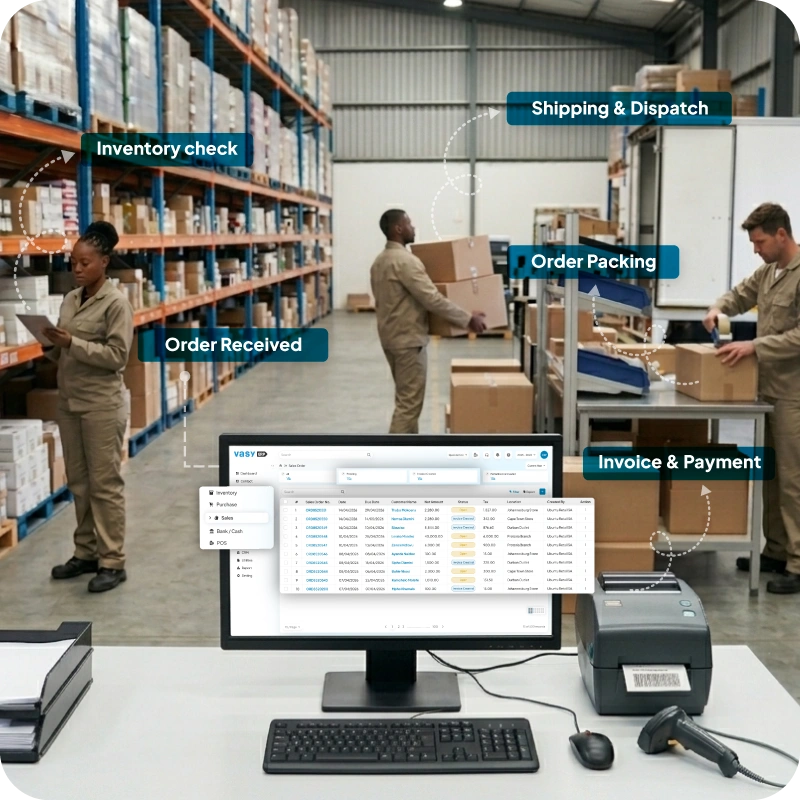
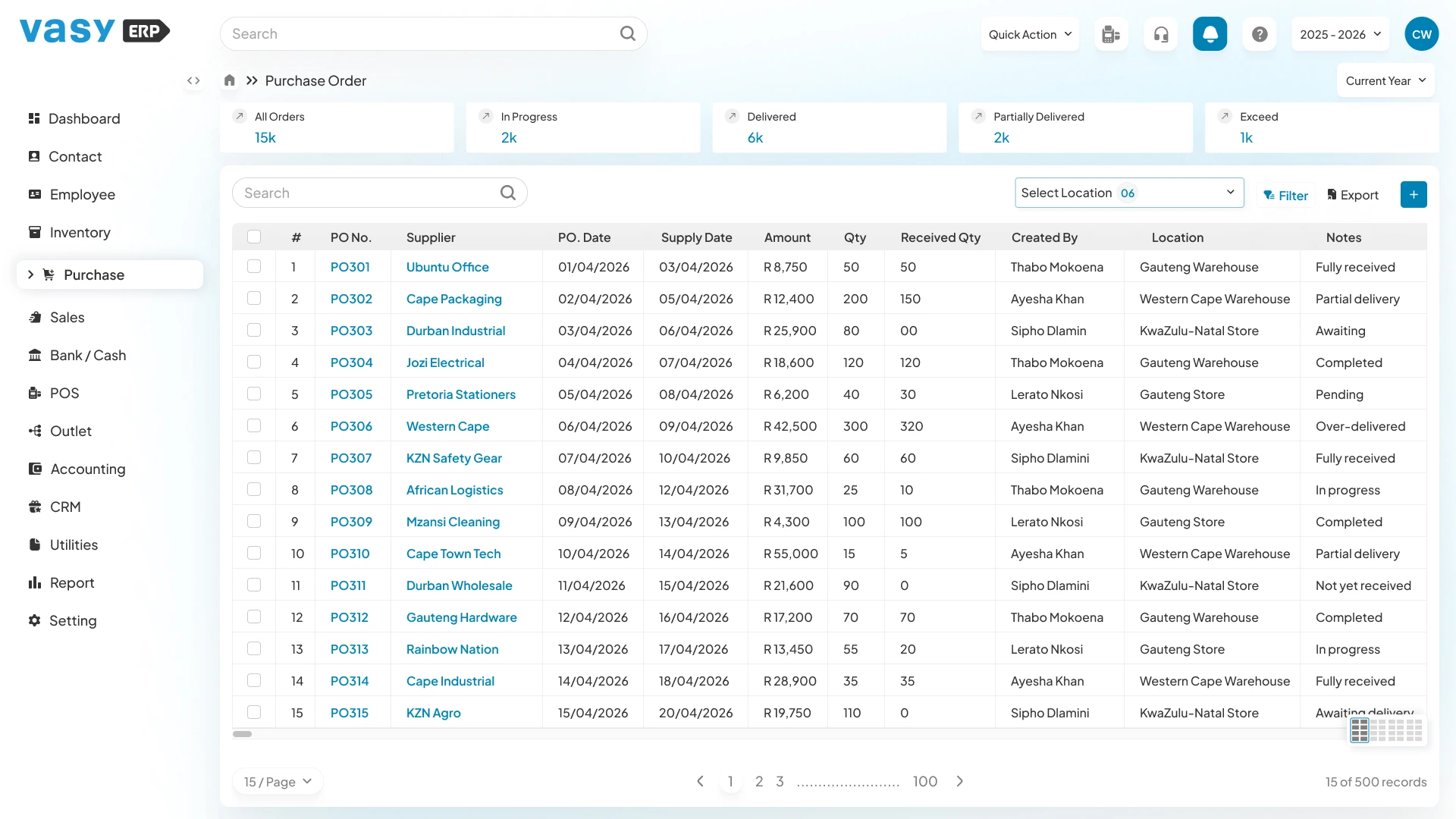 VasyERP’s procurement module helps South African businesses manage the entire procurement lifecycle without having to switch between systems at any stage.
When creating a purchase order, the system shows you the current available quantity of each item as you add it. Products can be added by barcode, item code, or name. You can also perform bulk uploads via Excel as long as the item is already in your inventory.
The system shows you the suppliers already in your contact records automatically. If you are ordering from a new vendor, they can be added on the spot without having to leave the PO screen.
Once goods arrive, the purchase order converts directly into a material inward record with a click of a button. If there is a mismatch in quantities received, the team can edit them so that your inventory reflects the changes.
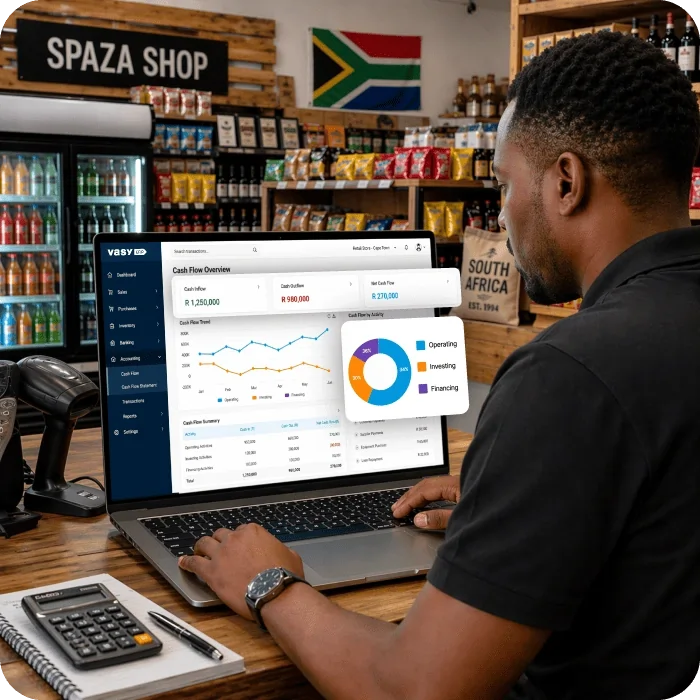
All the bills and payment statuses are tracked within the same module so that your teams have a real-time view of your pending liabilities (VAT included) at all times.
If you too want to simplify your PO operations, book a 30-minute Live Demo with VasyERP to see the full PO workflow in action.
VasyERP’s procurement module helps South African businesses manage the entire procurement lifecycle without having to switch between systems at any stage.
When creating a purchase order, the system shows you the current available quantity of each item as you add it. Products can be added by barcode, item code, or name. You can also perform bulk uploads via Excel as long as the item is already in your inventory.
The system shows you the suppliers already in your contact records automatically. If you are ordering from a new vendor, they can be added on the spot without having to leave the PO screen.
Once goods arrive, the purchase order converts directly into a material inward record with a click of a button. If there is a mismatch in quantities received, the team can edit them so that your inventory reflects the changes.
All the bills and payment statuses are tracked within the same module so that your teams have a real-time view of your pending liabilities (VAT included) at all times.
If you too want to simplify your PO operations, book a 30-minute Live Demo with VasyERP to see the full PO workflow in action.
A purchase order is nothing but a document a buyer sends to a seller to formally request their services or buy a specific amount of goods at an agreed-upon price. Once accepted by the seller, it becomes a legal contract between the two parties that binds them to the agreed-upon terms of the transaction.
A Goods Received Note is a document that the team creates upon inspecting the shipment delivered by the supplier. It lists down the quantities and the condition of the products delivered against the purchase order. It helps the finance team verify if the products received match the PO before releasing the payment against the invoice.
Three-way matching is the gold standard of verification in procurement. It involves verifying if the information in the original purchase order, the goods received note, and the supplier's invoice match before releasing payment.
It is possible to amend or cancel a purchase order if and only if the supplier agrees to it. If a cancellation or amendment does happen, the changes should also be documented in writing and acknowledged by both parties.
A standalone purchase order management system will handle the procurement workflow in isolation. While it may simplify the procurement management process internally, your team will have to reconcile data between your inventory management and financial systems separately. If a procurement module is within the ERP, then all the systems will work in tandem and update automatically.
The decision to invest in a POM system has more to do with the losses you incur with a manual process than the volumes your team handles. If these figures are getting out of hand and are disrupting your operations as a whole, it might just be the right time to make that investment.
Last Updated on May 7, 2026