Quick Summary:
Losing track of invoices, whether you owe them or they need to be paid to you, will hurt your business's bottom line or reputation. The best way forward to avoid this situation altogether is to use software that can automate and track billing. This guide compares the ten best invoicing solutions available in South Africa.
You'll walk away knowing the following:
- What invoicing software is and why your business needs one.
- Explicit details and a comparison of the best billing programs for small businesses in South Africa.
- The must-have features and how to choose the right software.
For a large chunk of businesses in South Africa, especially startups and smaller businesses, invoicing is still a manual process. The process, time, and labour are intensive and, more importantly, prone to errors, due to which many invoices fall between the cracks.
While the system works, it’s not sustainable, especially when volumes rise. At this point, the losses due to missed invoices, compliance violations, or interest on pending invoices soon exceed what could be the monthly subscription fee for small business invoice software.
If you have reached this point, you are in the right place. This guide covers ten options, from free invoicing software for small businesses to full-featured platforms, along with tips on how to pick the right one for your business.
At a Glance: Comparison of the 10 Best Invoicing Software for South Africa in 2026
| Tool | Best for | Key Features |
|---|---|---|
| VasyERP | Small and multi-store South African retailers | SARS VAT-compliant e-invoicing and e-waybill, offline POS with integrated WhatsApp billing, and advance payment & settlement. |
| Zoho Invoice | Freelancers andvery smallteams | 100% free, customisable templates, and project billing. |
| Wave | Solopreneurs and startups | Free core invoicing, unlimited invoices, and receipt scanning. |
| Paypod | South African micro-businesses | Free plan, unlimited invoices, SARS VAT tools. |
| QuickBooks | Growing businesses that need a full accounting suite | Comprehensive accounting, over 750 integrations, and expense tracking. |
| Xero | Small to medium businesses | Unlimited users, real-time bank feeds, strong reporting. |
| Bookipi | Mobile-first small businesses | Award-winning mobile app, 4.87/5 rating, simple interface. |
| Paymo | Service businesses and agencies | Time tracking integrated with invoicing and project management. |
| FreshBooks | Service-based businesses and freelancers | User-friendly interface, automated payment reminders, and excellent support. |
| Invoice Ninja | Tech-savvy businesses | Open-source, self-hosting option, unlimited free plan for up to 20 clients. |
Top 10 Best Invoicing Software in 2026
Each of the tools below has been selected based on its features, availability, and, most importantly, its fit for small businesses and startups based in South Africa.
1. VasyERP
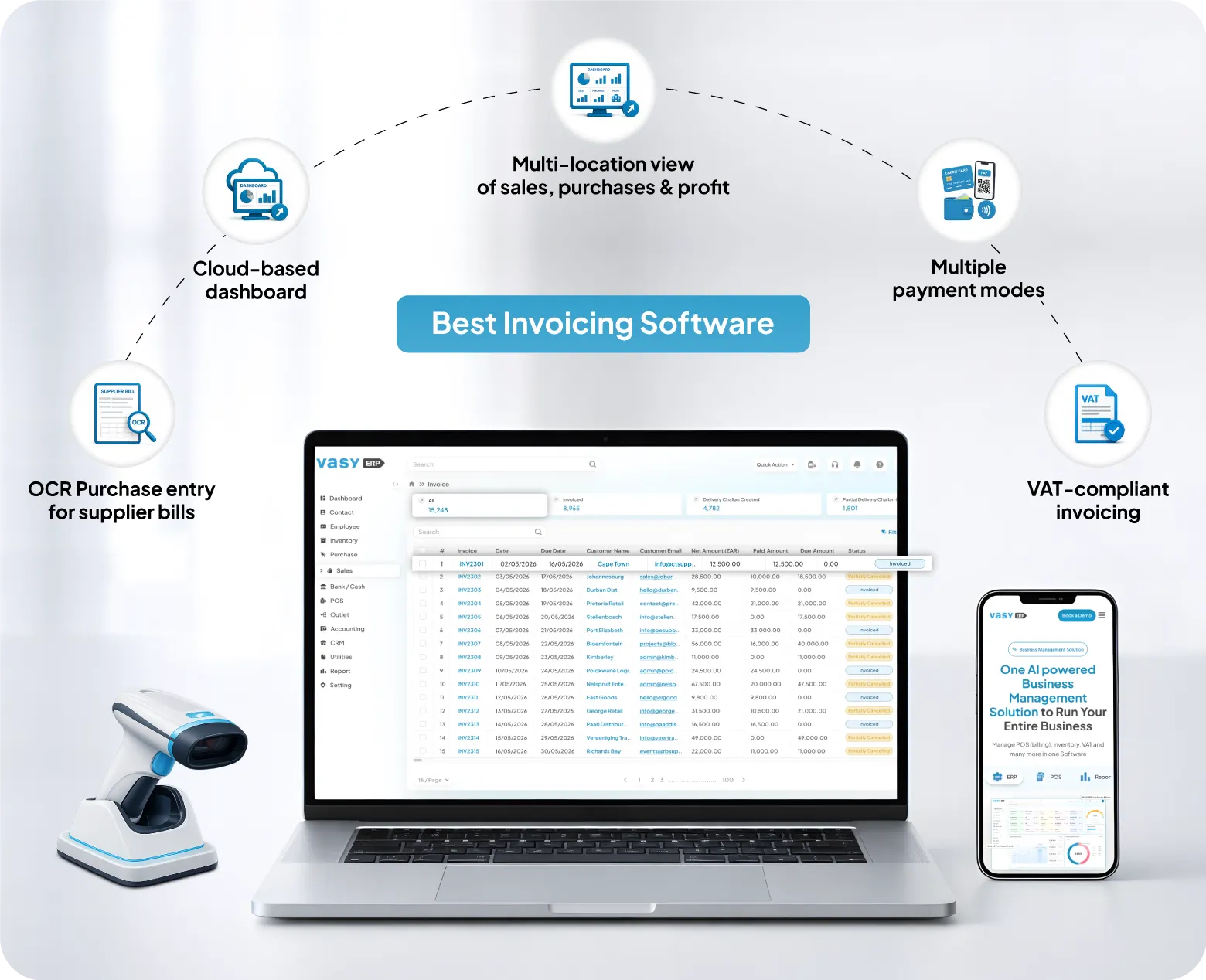
VasyERP is a cloud-based ERP built from the ground up for South African retail, wholesale, and manufacturing businesses. Unlike standalone billing programs for small businesses and startups, VasyERP integrates its billing module with inventory, purchasing, and accounting in one platform.
From an invoicing standpoint, VasyERP generates SARS-compliant invoices with VAT calculations by default. The same, along with payment reminders and promotions, can be sent out via WhatsApp, SMS, and/or email. The offline POS keeps functioning even during rolling load shedding or network blackouts.
For businesses managing multiple locations, VasyERP’s central invoicing system applies customer-specific pricing across branches, tracks outstanding balances per account, and feeds every transaction into real-time reports.
Key Features
- Invoices, receipts, and payment reminders are sent directly to customers via WhatsApp or SMS.
- Offline POS continues billing during network outages.
- Real-time multi-location updates keep inventory and invoices in sync across the board.
- VAT-compliant invoicing built for South Africa’s SARS requirements.
Pros
- All-in-one system replaces multiple disconnected tools.
- Works offline during load shedding and connectivity drops.
- Scales from a single store to national chain operations.
- Built-in CRM and loyalty tools manage customer relationships alongside billing.
Cons
- More functionality than a micro-business needs in the early stages.
- Learning curve for non-tech-savvy staff members.
- Custom pricing requires contacting sales for a quote.
Pricing
- Custom pricing based on modules and usage.
2. Zoho Invoice
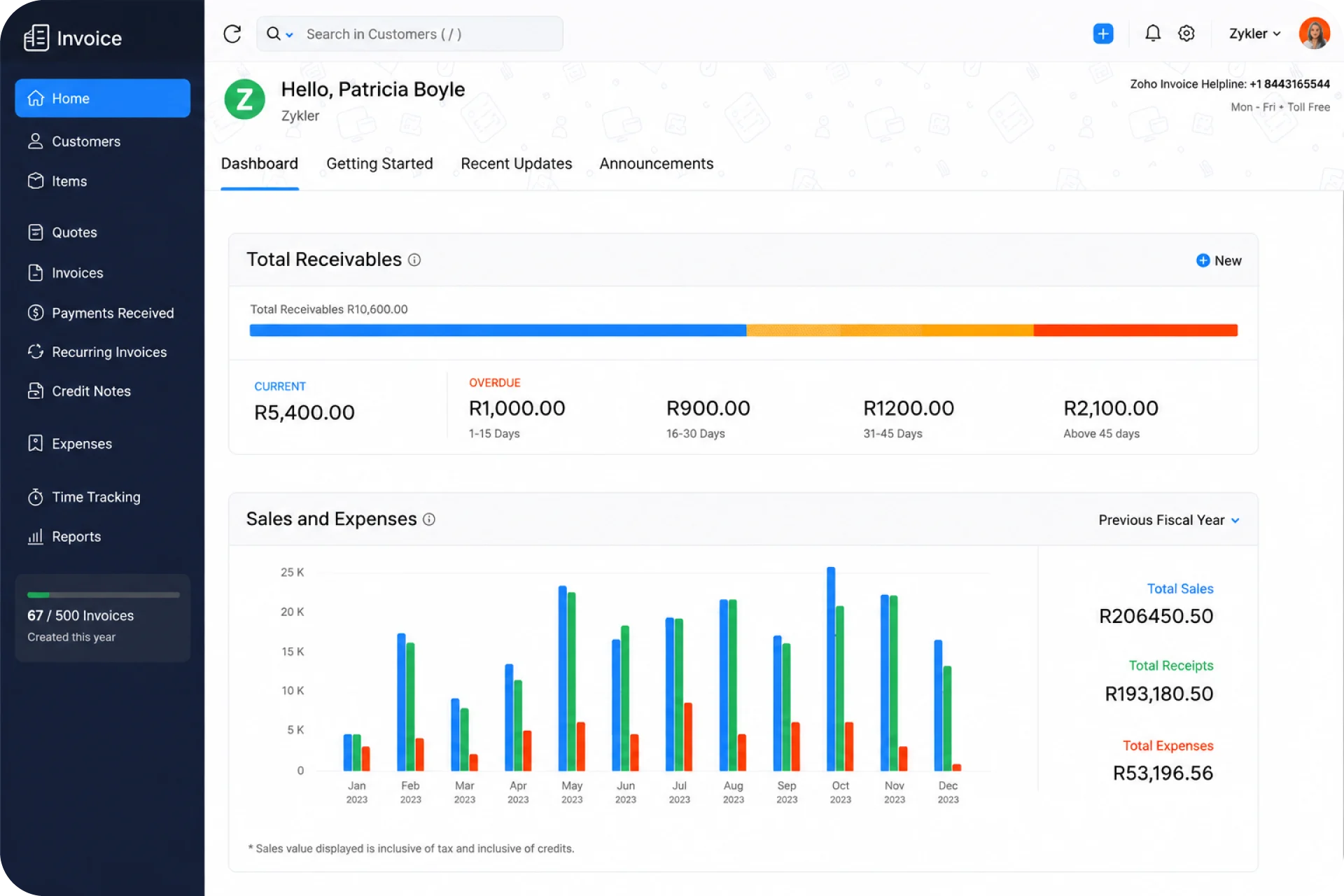
Zoho Invoice is one of the best free invoicing software for small businesses available on the market today. There are no core features hidden behind paywalls with the free version.
It integrates seamlessly with Zoho’s broader ecosystem and other tools commonly used by South African businesses.
Key Features
- Invoice templates that can be customised with your branding.
- Automated payment reminders and recurring billing.
- Multi-currency with multiple payment options.
- Project billing and time tracking included.
Pros
- Extremely user-friendly for first-time invoicing users.
- Easy integrations with other Zoho products like Zoho CRM and Zoho Books.
- Manage two businesses with the same account.
Cons
- Software is limited to three users and up to 500 invoices a year.
- SA-specific payment gateway integration requires manual setup.
- Limited reporting options compared to the other paid tools on the list.
Pricing
- Free forever
3. Wave
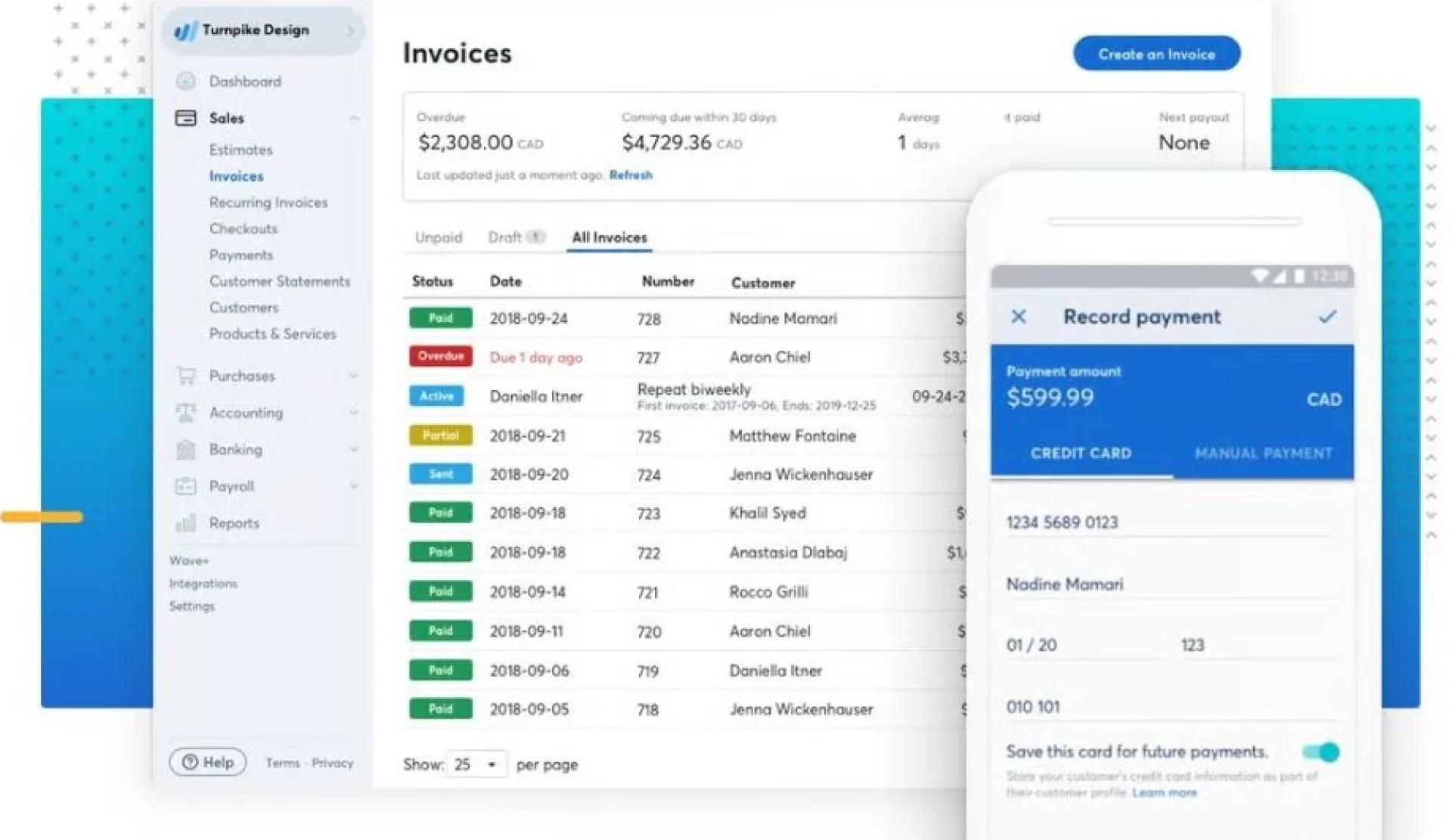
Wave is another free invoicing software for small businesses and solopreneurs based in South Africa to consider. What makes it stand out is that its free plan has no limits on the number of estimates and invoices that can be created.
It’s designed for business owners who need a professional, yet easy-to-use system without worrying about a monthly fee.
Key Features
- Unlimited estimates, invoices, bills, and booking records.
- Built-in expense tracking and basic income/expense reporting.
- Mobile app for iOS and Android for on-the-go invoice creation.
Pros
- Genuinely free core accounting and invoicing features, which are rare.
- Clean and easy-to-navigate and use interface.
- Plenty of customisation options for invoices.
Cons
- Lacks broader features that a growing business may want, like inventory and purchase management.
- Users on the free plan don’t have access to live support.
- Users on paid plans only have live support via chat or email. There is no phone support.
Pricing
- Free Forever plan
- Pro Plan: R 3089 per annum.
4. PayPod
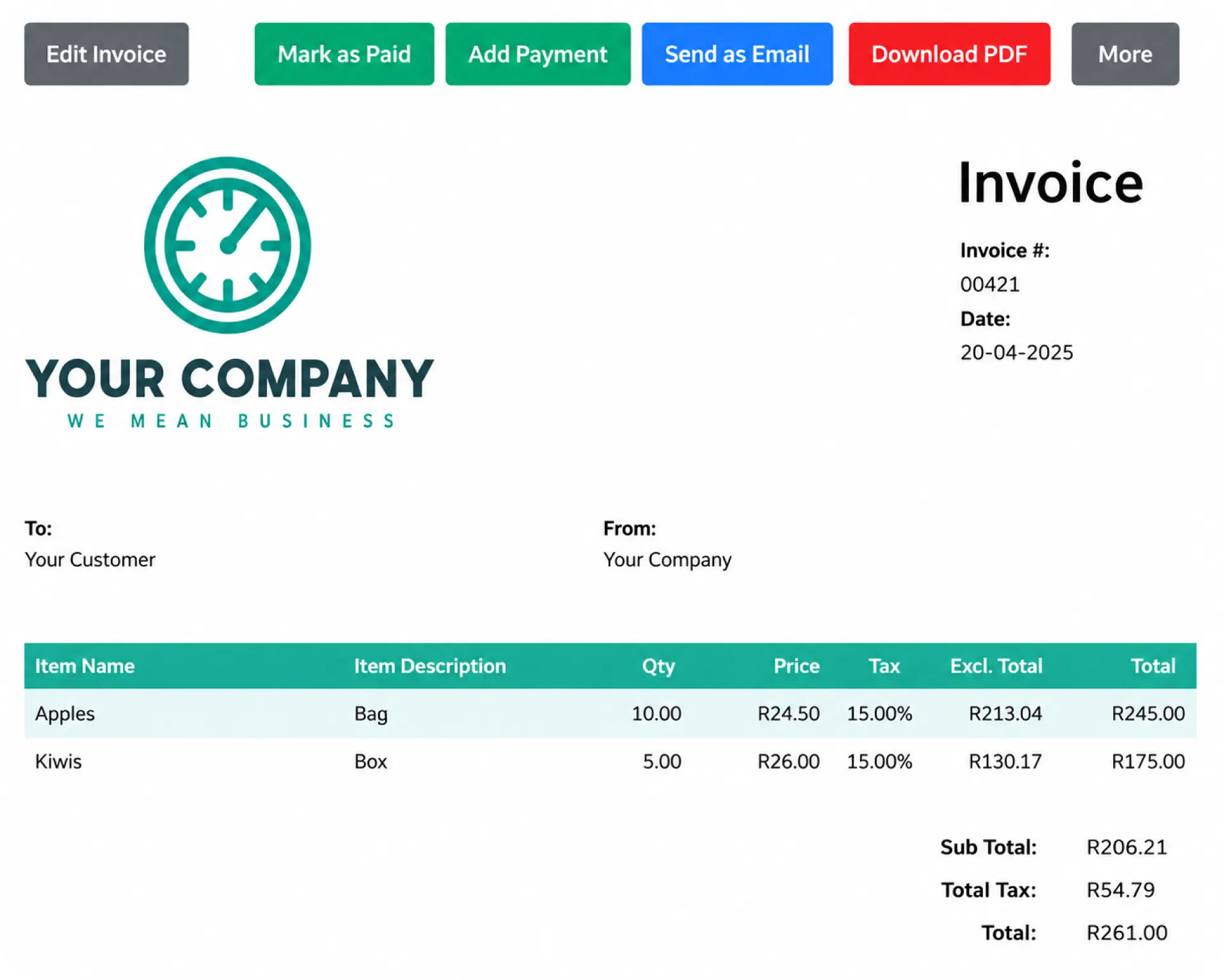
PayPod is a locally developed billing program for small businesses and freelancers. It is software that focuses on simplicity and lets you create quotations and invoices in a matter of minutes.
It runs in the browser, so there is the added convenience of not having to worry about downloads or updates.
Key Features
- Supports creation of quotations, invoices, credit and delivery notes, purchase orders, and more.
- Recurring invoices that can be scheduled to be sent automatically on a daily, weekly, monthly, or yearly basis.
- Ability to convert quotes into invoices seamlessly when a client accepts an offer.
- Built-in accounting features include the ability to log and categorise income and expenses and to generate income statements, balance sheets, and VAT reports directly from the platform.
Pros
- Built specifically for South African businesses with local VAT compliance and support.
- No limits on invoices, quotes, or clients, even on the free plan.
- The first month of Premium is completely free with no contracts and no cancellation fees.
Cons
- Primarily focused on invoicing with limited inventory management features.
- Less suitable for multi-location retail operations or businesses with complex stock tracking.
- Smaller feature set compared to full accounting platforms like QuickBooks or Xero.
Pricing
- Free Forever plan
- Premium plan: R159 / pm
5. QuickBooks
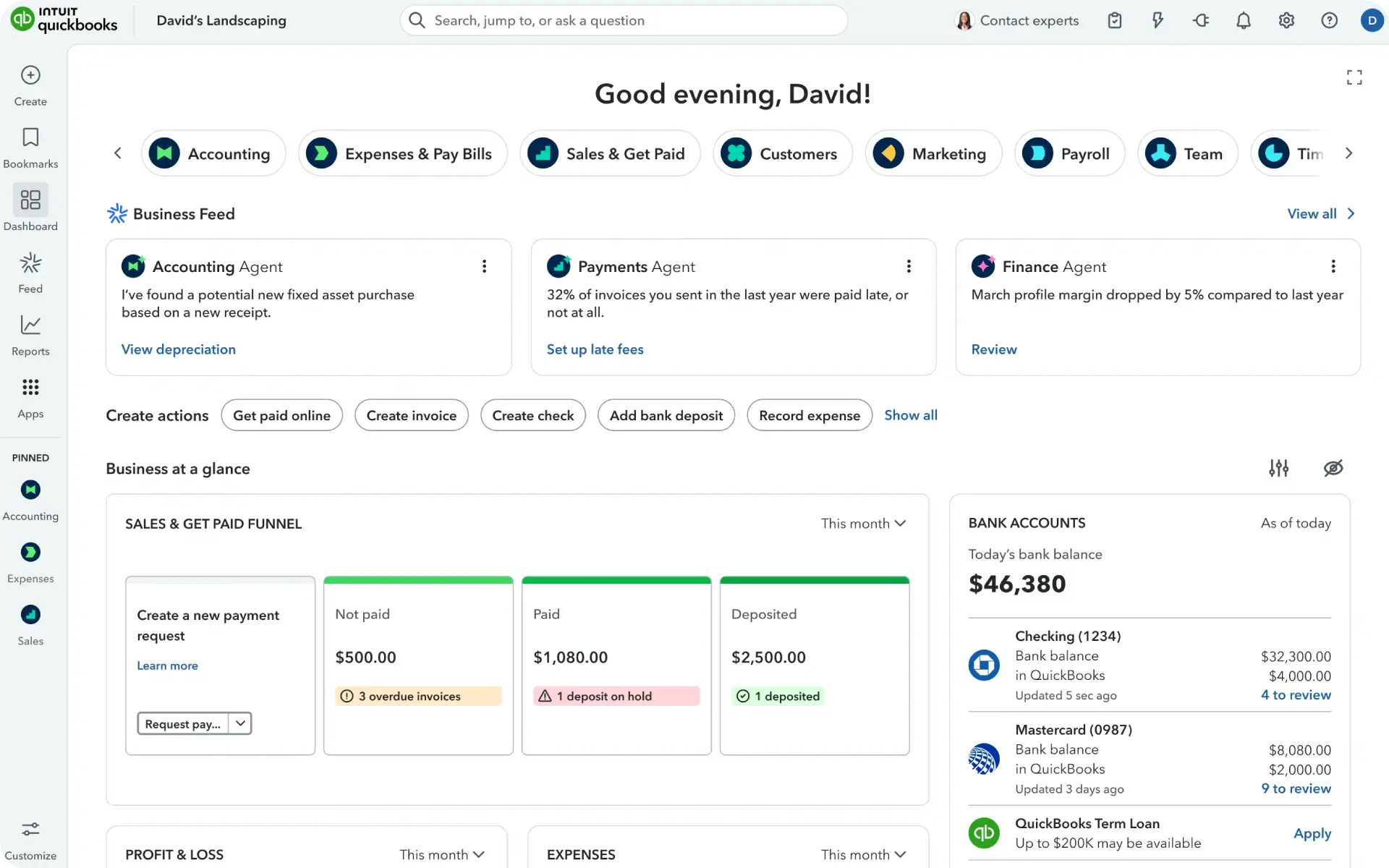
QuickBooks is one of the best invoicing software options available on the market today. Its Intuit AI, which is fully integrated into the platform, automates invoicing, inventory tracking, reporting, and more.
Being a globally recognised software, it supports a host of integrations along with currencies.
Key Features
- Smart invoicing that supports status alerts and sends recurring invoices automatically.
- Built-in AI that provides instant answers about profit drivers, pending invoices, and business performance.
- Automated expense tracking captures receipts and categorises spending.
- Automatic imports and transaction categorisation in real time from bank accounts.
Pros
- AI-powered automation saves significant time across all invoicing processes.
- An extensive reporting library with a custom report builder allows for deeper analysis.
- Works for everyone, i.e., from solo entrepreneurs to large teams.
Cons
- Not for anyone on a tight budget.
- Steep learning curve due to the platform’s extensive feature set.
- Customer support not on par with the asking price.
Pricing
- Simple start: R308 per month
- Essentials: R614 per month
- Plus: R938 per month
- Advanced: R2236 per month
6. Xero
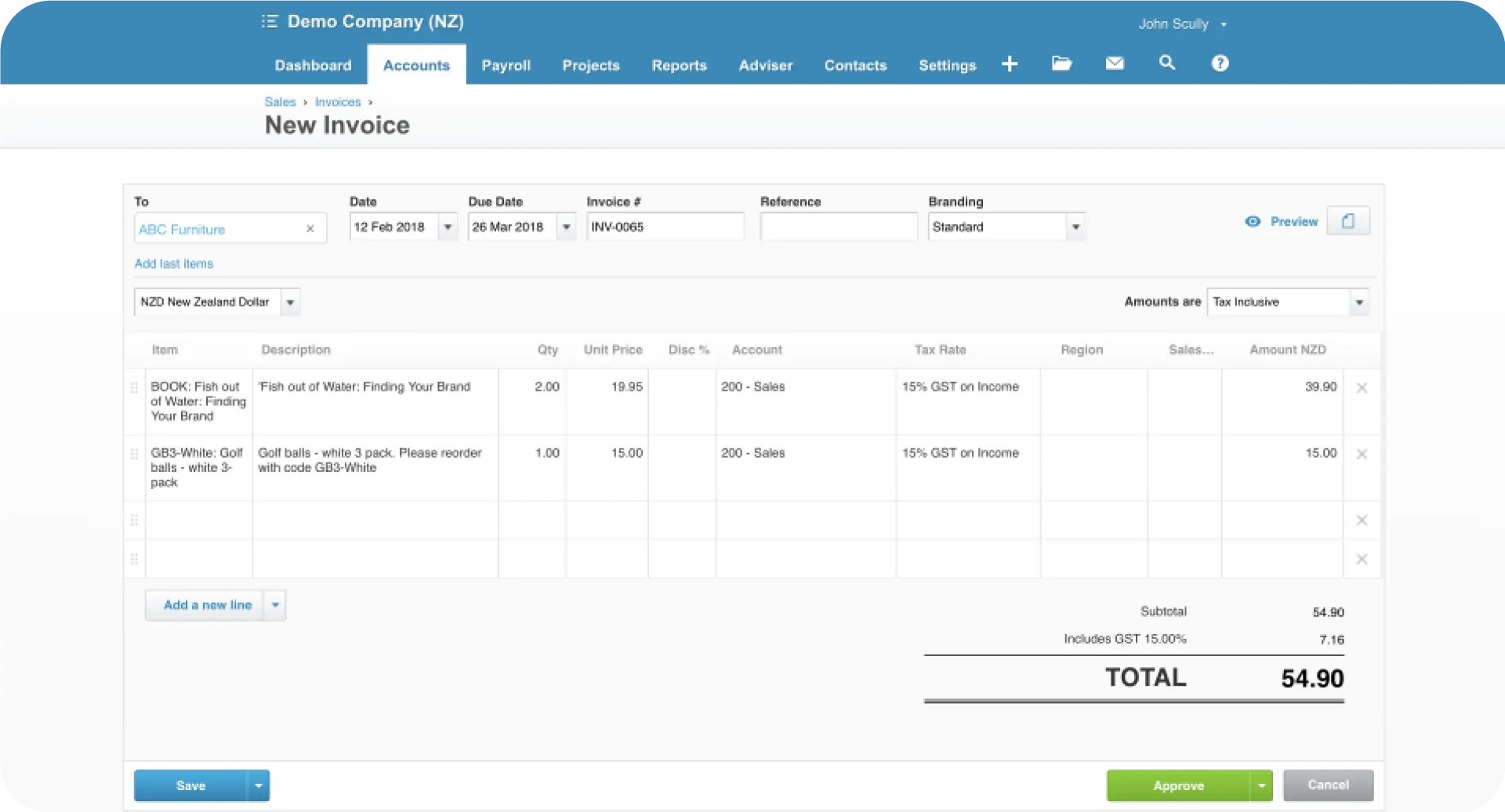
Xero is a cloud-based accounting platform that offers a complete suite of tools, including invoicing, bank reconciliation, expense tracking, and real-time financial reporting.
It also integrates advanced features like batch invoicing and an AI assistant called JAX that can create and send invoices via WhatsApp, SMS, and email.
Key Features
- Repeating invoices for customers for whom you bill the same amount each month.
- Group invoicing to bill multiple customers the same amount in one batch.
- Automate payment reminders with customisable schedules.
- Customise invoices with your brand logo, colours, and custom messages.
Pros
- Real-time bank feeds to match transactions to invoices automatically.
- Over 1,000 third-party app integrations through the Xero App Store
- AI assistant JAX that can automate tasks that other platforms still handle manually.
Cons
- Monthly subscription costs can be high for very small businesses or freelancers with low invoice volume.
- The learning curve is steep, especially when compared to, say, Wave or Zoho.
- Customer support is primarily online and email-based.
Pricing
- Starter: R94 per month
- Standard: R162 per month
- Premium: R243 per month
7. Bookipi
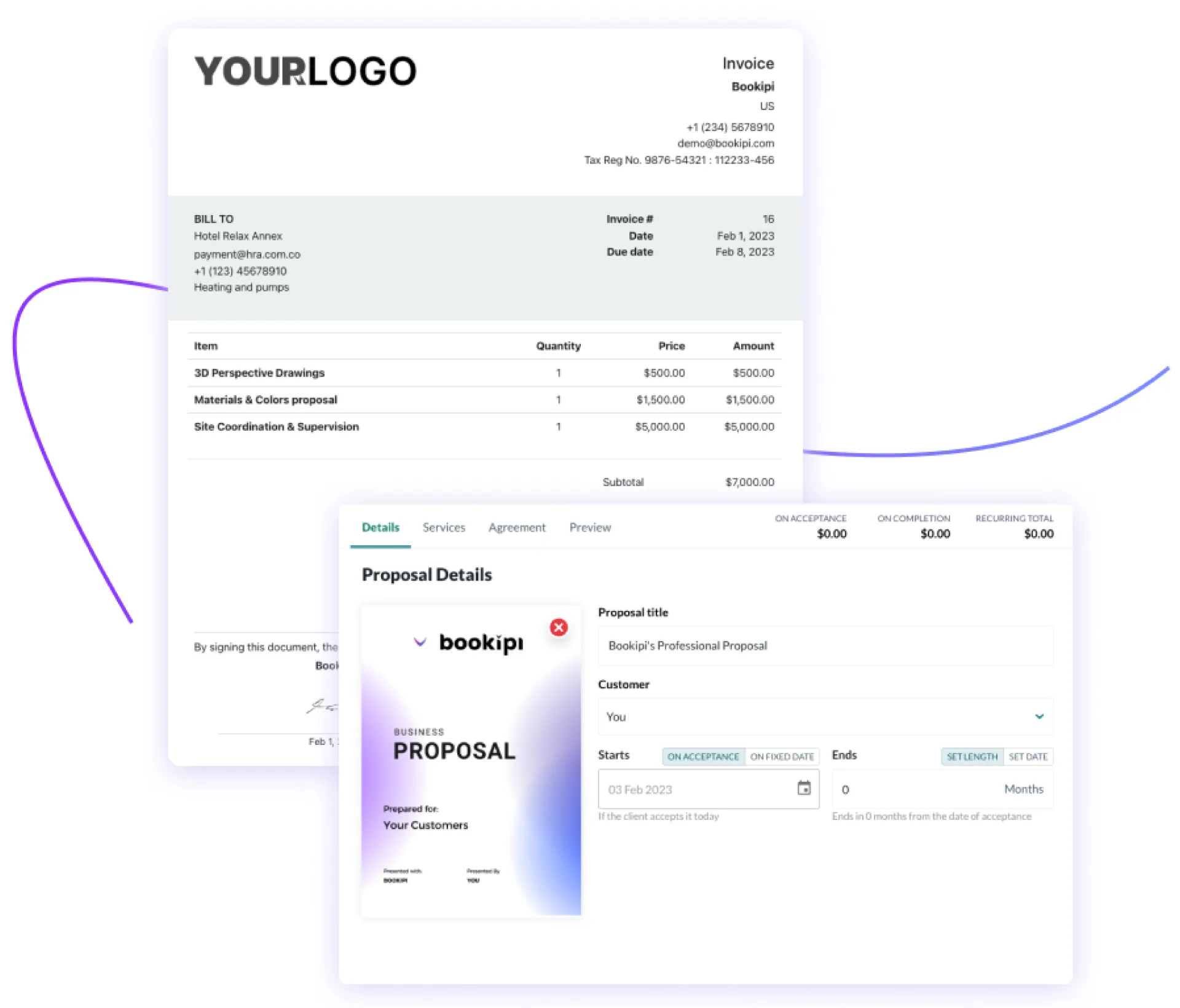
Bookipi is an award-winning invoicing and business management app. It’s one of the best invoicing software built for those who need to create and send professional invoices in under a minute, on the fly, via their smartphones.
Unlike basic invoicing tools, Bookipi has evolved into a complete business suite. It now has AI-powered tools for building websites, managing contracts, and even handling customer calls.
Key Features
- Create and send invoices quickly using the mobile app or web platform.
- Real-time notifications when a client opens, views, or pays an invoice.
- Recurring invoices for repeat clients.
- One-click quote-to-invoice creation.
Pros
- Intuitive interface designed specifically for mobile-first business owners
- The free plan allows up to three invoices per 30 days.
- All-in-one platform eliminates the need for multiple disconnected tools for invoicing, CRM, and proposals.
Cons
- A premium subscription is required to access the web app, remove limits, and unlock AI features.
- Some advanced AI features like the AI Receptionist and AI Meeting Assistant are only available in specific countries (US, UK, Australia).
- Lacks inventory management and purchase order features, making it unsuitable for product-based retail businesses.
Pricing
- Free forever
- Starter: R123 per month
- Professional: R632 per month
8. Paymo
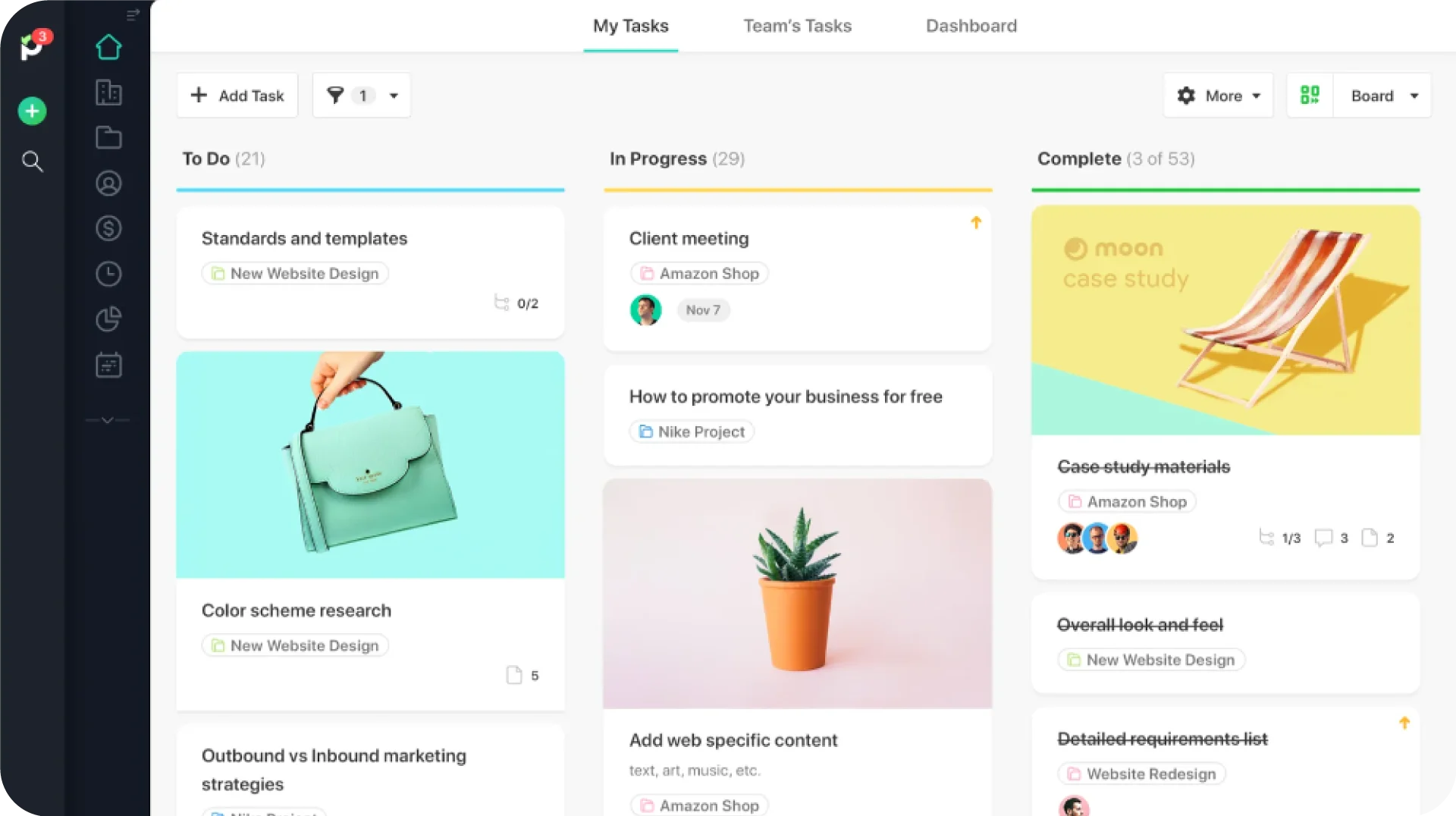
Paymo is one of the best invoicing software options on this list if you are a consultant, freelancer, or service provider whose priority is time-based invoicing. The added plus with Paymo is that it is a project management suite of features, like task management and team scheduling, built into the platform.
Key Features
- Create invoices from unbilled timesheet data in just a few clicks.
- Clients access their invoices and expenses through a dedicated client portal.
- Accept online payments through integrated payment gateways; invoices are marked as paid automatically upon receipt.
- Track project profit margins in real-time during and after project completion.
Pros
- Combines project management, time tracking, and invoicing into one tool.
- Timesheet data converts to invoices automatically.
- Real-time profitability widgets show project margins, client payment history, and unpaid balancesat a glance.
Cons
- Advanced features like custom invoicing rates require paid upgrades from the free plan.
- No native inventory management.
- Requires paid upgrades for most additional features.
Pricing
- Free
- Solo: R96 per month
- Plus: R178 per month
- Pro: R275 per month
9. FreshBooks
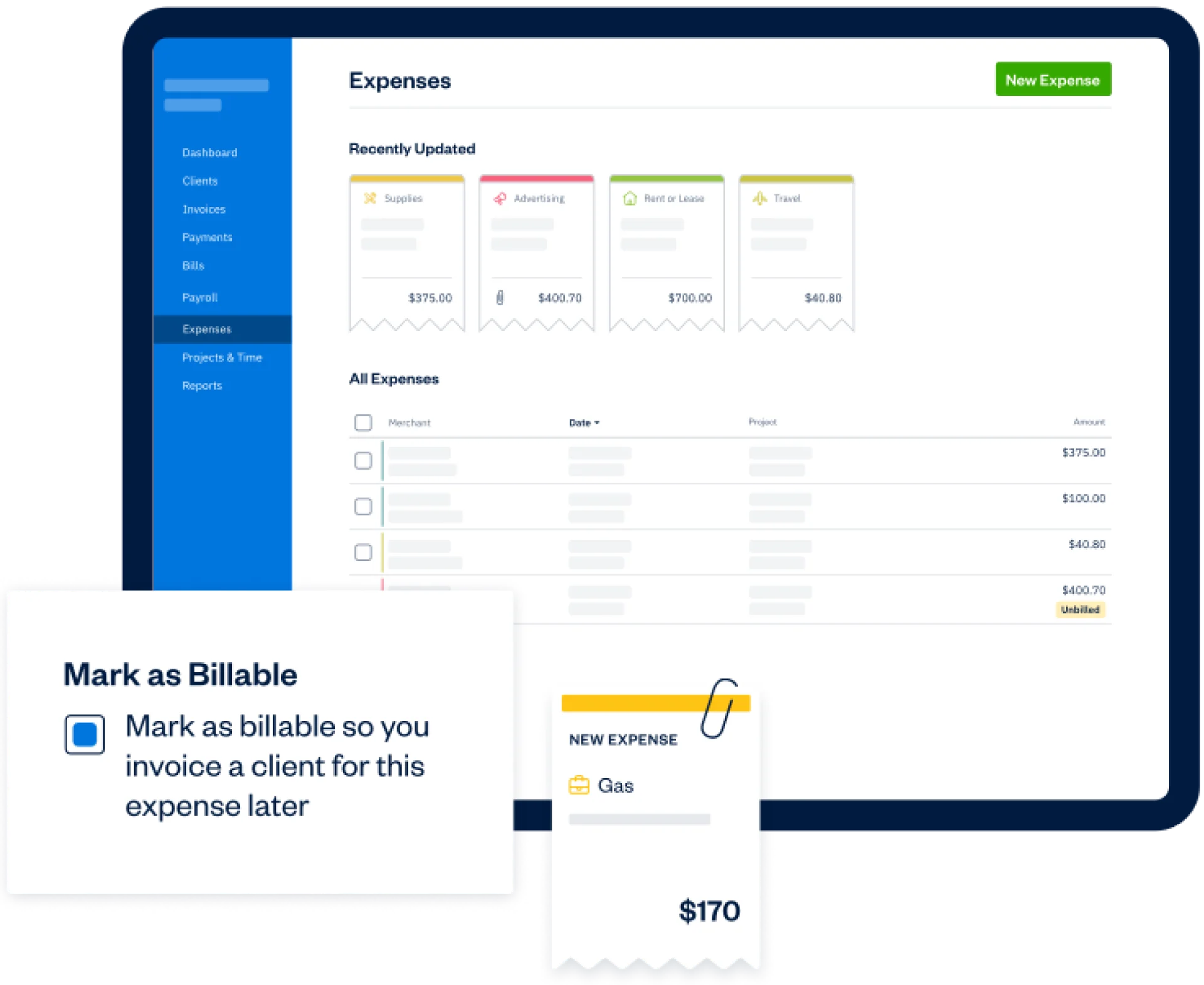
FreshBooks is an accounting and invoicing platform designed specifically for freelancers, solopreneurs, and small service-based businesses. The platform automates daily accounting activities like invoice creation, payment acceptance, expense tracking, and billable time tracking.
Key Features
- Allows you to create and customise professional invoices with your logo, along with personalised thank-you messages.
- Supports payments using credit card, Apple Pay, Google Pay, or Buy Now Pay Later options.
- Automates your entire billing workflow with recurring invoices, card-on-file payments, and automated reminders.
- Can track billable hours and client expenses, then turn them directly into invoices.
Pros
- Exceptionally user-friendly interface for users with zero accounting background.
- The well-designed tracking feature lets you bill for every hour worked directly from the platform.
- Excellent customer service.
Cons
- Client-based pricing models can become expensive as your business grows beyond 50 clients.
- Less suitable for inventory-heavy retail businesses that need stock management.
- Some advanced reporting features require higher-tier plans.
Pricing
- Lite: R 85 per month
- Plus: R141 per month
- Premium: R246 per month
- Select: Custom pricing for enterprise needs
10. Invoice Ninja
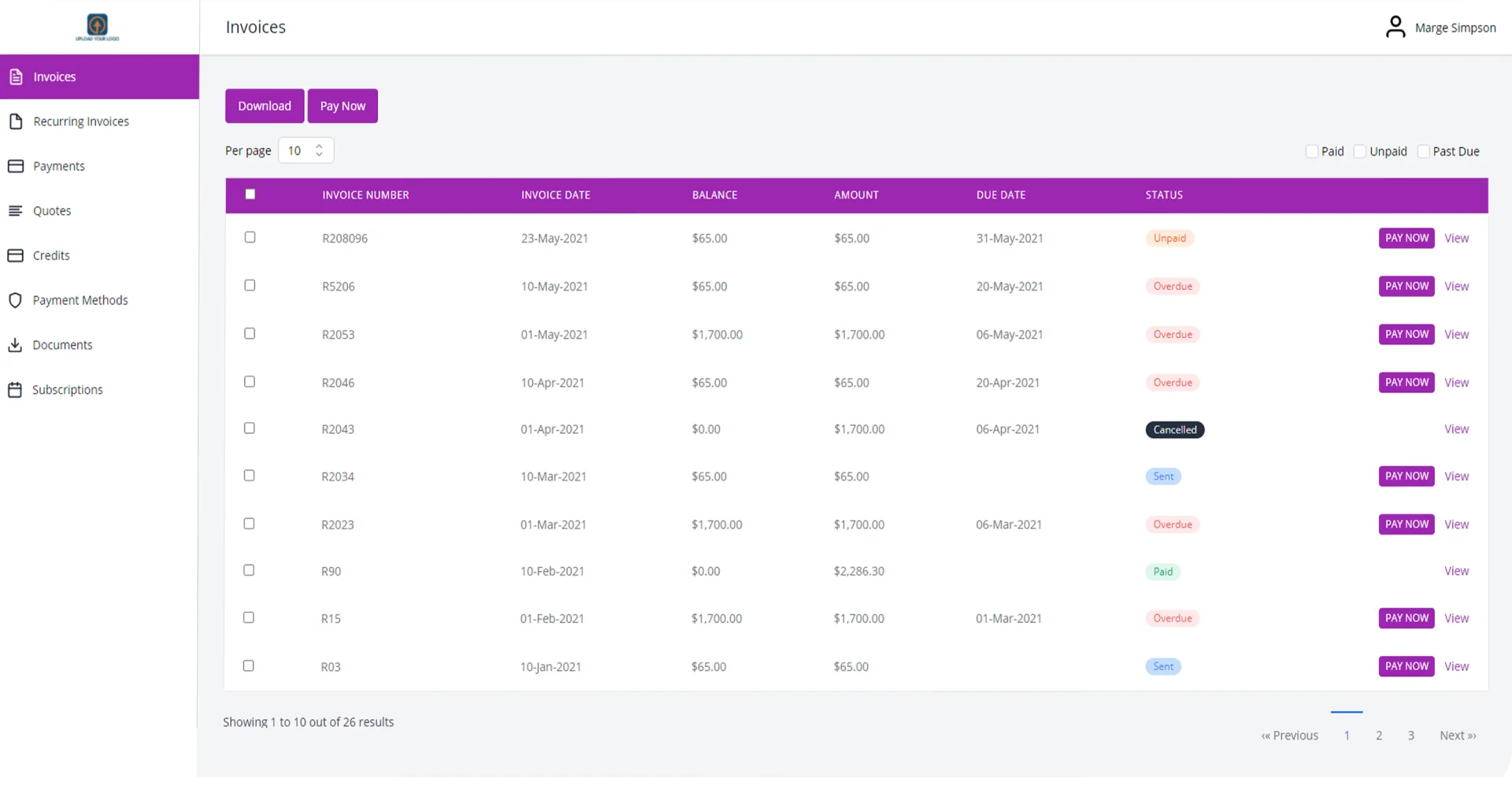
Invoice Ninja is an open-source invoicing platform that gives you the option to either self-host or use their traditional SaaS cloud version.
What sets Invoice Ninja apart is that it combines invoicing, project management, expense tracking, and more, making it an excellent option for small businesses and solopreneurs.
Key Features
- Self-hosting option for complete data control and privacy.
- Client-side portal lets customers view their invoice history, payment status, and documents.
- Recurring invoices with auto-billing for repeat clients.
- Automated payment reminders and past-due notifications.
- Notifications when clients view and pay invoices.
Pros
- Free plan includes features many competitors charge for, such as inventory management, recurring invoices, and client portals.
- Extremely flexible with dozens of payment gateway integrations.
- Clean, fast interface that works well even on slower connections.
Cons
- Five-client limit on free plan.
- Mobile app reviews indicate occasional sync delays.
- Advanced features like custom invoice design require Pro or Enterprise plans.
Pricing
- Free forever
- Ninja Pro: R227 per month
- Enterprise: R292 per month
- Premium Business: Custom pricing
Must-Have Features in the Best Invoicing Software
For a solution to qualify as the best invoicing software for your business, it should have most, if not all, of the following features:
1. Automated Invoice Creation & Recurring Billing: The software should have the capability to generate invoices automatically from estimates or sales orders. A recurring billing feature, in addition to this, will save your business hours of manual work for subscription or retainer clients.
2. Payment Reminders That Reduce Follow-Ups: The software should also have the ability to send timely payment reminders based on preconfigured messages. This is another must-have feature that will save significant time and resources.
3. Multiple Payment Options: The system should support multiple payment options like EFT, cards, bank transfers, SnapScan, and payment gateways, both local (PayFast, Yoco, and PayGate, to name a few) and global (like PayPal and Stripe).
4. VAT & Tax Compliance: Any software operating in South Africa should be able to handle SARS VAT regulations correctly. With that in mind, look for features like automatic VAT calculations during invoice generation, SARS-compliant invoice formats and the ability to file VAT returns per regulations.
5. Real-Time Payment Tracking: The invoicing software’s dashboard should show you all paid, pending, and overdue invoices at a glance. Alerts when customers view or pay invoices will be an added plus.
6. Mobile Access for On-the-Go Billing: The invoicing apps must work on multiple devices like smartphones and tablets and be able to create and send invoices from anywhere.
7. Integration with Accounting, POS & ERP Systems: Invoicing as a process doesn’t work in isolation, and that is why it should be able to integrate easily with dedicated accounting, POS, or ERP systems.
8. Custom Branding & Professional Invoice Templates: While not the most critical, the software should let you add your logo, choose brand colours, and come with a wide professional template you can choose from.
How to Choose the Right Invoicing Software for Your Business?
Picking the right invoicing software for your business should involve considering the following factors.
1. Your Business Type & Complexity
Free invoicing software for small businesses or freelancers will not work for a large business that has multiple outlets and a large number of clients. Always match the tool to the level of complexity of your business’s operations.
2. Budget vs Long-Term Value
A free tool might serve your needs now. But you may end up paying more to migrate to a different tool once your business grows past the capabilities of the said free tool.
Sometimes, paying slightly more now for a scalable solution works in your favour and saves money long-term.
3. Ease of Use for Daily Operations
Even the best invoicing software won’t do your business much good if your teams struggle to use it. Have your billing staff sit in on the demo so they can assess the software’s usability firsthand.
4. Integration Needs
List every tool your business currently uses and verify if it can connect seamlessly with the invoicing software. Avoid tools that require workarounds or third-party integrations.
5. Automation & AI Capabilities
Automation and AI capabilities will save your team significant time and manual effort. Opt for a tool that handles both natively.
Is Free Invoicing Software Enough for Your Business?
Free invoicing tools work for freelancers and very small businesses with simple needs. But after a while, as your business grows, you will most definitely reach the limits of what they can offer.
For any South African business that intends to scale, a system that connects billing with inventory, purchasing, accounting, and multi-store operations is always the better bet. VasyERP delivers all of this on one platform. It handles SARS VAT compliance, offline POS during load shedding, WhatsApp billing, and real-time stock sync across locations.
Book a free demo with VasyERP to know how it can change your invoicing workflows along with the rest of your business for the better.
FAQs Regarding Invoicing Software
Yes. Free invoicing software solutions like Zoho Invoice and Wave have been used reliably by millions of businesses worldwide.
The best invoicing software designed for South Africa, like VasyERP, has VAT built into the system. It automatically calculates the 15% standard rate, generates tax invoices with the required fields, and prepares VAT returns for SARS submission.
Invoicing software is limited to creating and sending bills, while accounting software focuses on recording all financial transactions, such as expenses, payroll, and bank reconciliation. That said, many tools now blend both functions.
Yes. Invoicing can be integrated with inventory management, but not all invoicing tools offer this by default. VasyERP is one of the few tools that connects invoicing with real-time inventory tracking natively.
Last Updated on June 12, 2026