Quick Summary:
Excel is often enough when a UAE retail business is just starting out. The problem starts when the store grows. This blog explains why retailers are moving from Excel to ERP, and how VasyERP helps manage billing, inventory, accounts, customer records, and multi-location work from one place.
By the end, you’ll understand:
- Where Excel starts creating operational gaps for retail businesses
- How ERP improves stock accuracy, billing control, and reporting
- What to check before planning an Excel to ERP migration
- Why VasyERP fits growing UAE retailers looking for a stronger retail management system
Excel works well when a retail business is small. A few products, one store, and one person updating the file can feel manageable.
The problem starts when the store grows. Sales increase, suppliers change, staff members need access, and stock starts moving across branches or channels. At that point, even one missed update can affect billing, inventory, purchase records, or profit reports.
That is why many UAE retailers are moving from Excel to ERP. They want a cleaner way to manage billing, stock, accounting, customer records, and daily reports without depending on several manual files.
Why Excel Can’t Keep Up With Growing Retail Businesses
Excel works when the business is small and only a few people update the files. But retail data changes all day. Every sale, return, purchase, discount, stock transfer, and price change needs to reflect correctly.
That gets messy when sales, stock, supplier bills, and reports are all handled in separate files. One missed update can throw off the next report.
Take one product in a UAE supermarket. It may be sold, returned, restocked, discounted, or removed before expiry. If every update depends on Excel, the stock count can go wrong fast. If these updates sit in different sheets, the numbers can go wrong quickly.
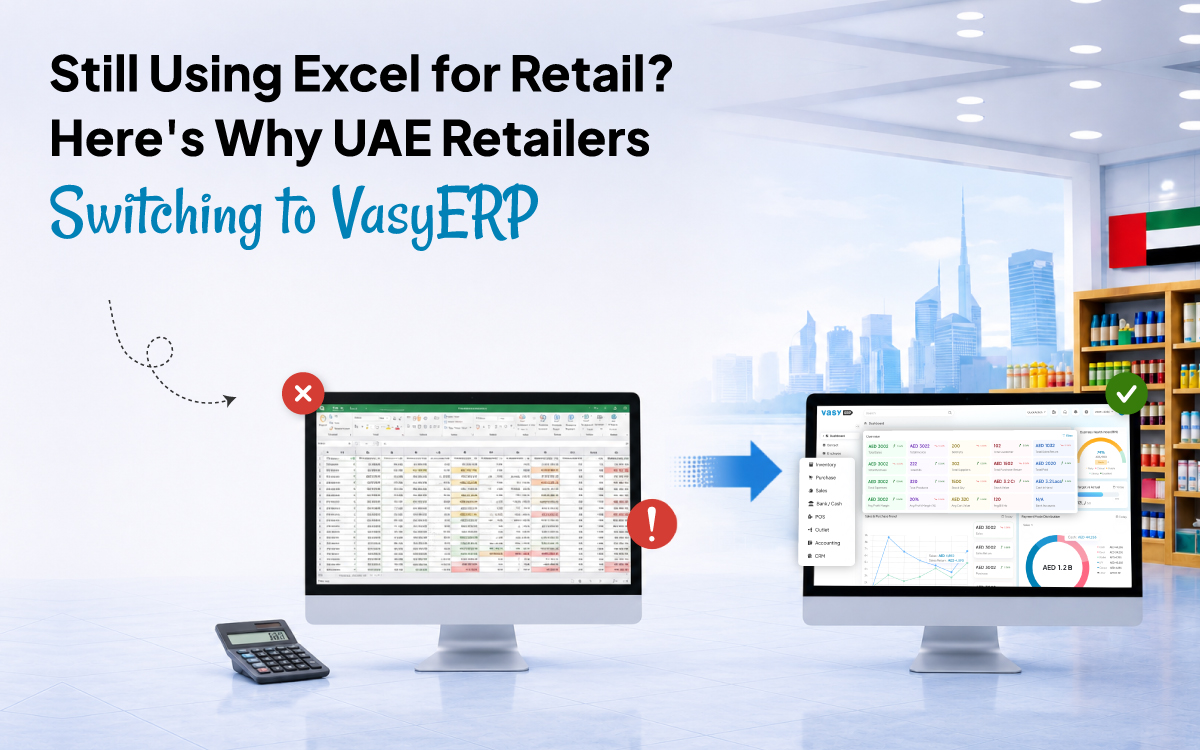
This is where the Excel vs ERP for retail comparison becomes clear. Excel helps you record data, while ERP helps your team use that data across billing, stock, accounts, and reports.
The Hidden Costs of Managing Retail on Spreadsheets
Excel may look low-cost at first because the business does not pay for a full system. But the cost reveals itself in staff time, mistakes, missed sales, stock gaps, and delayed reports.
1. Manual Updates Slow Down Everyday Work
Your team may need to update sales, stock, purchase bills, supplier payments, and returns in different files. One missed entry can create a gap between the billing counter, stock room, and accounts team.
2. Stock Errors Affect Sales and Cash Flow
Retailers need the right stock at the right time. When Excel does not update stock in real time, fast-selling items can run out while slow-selling products keep blocking cash.
3. Reporting Takes Too Long
Excel reports are only as reliable as the latest entries in each file. If sales, stock, purchases, and payments are updated separately, the final report often takes hours to prepare and may still miss the current picture.
4. Accountability Becomes Weak
When several people edit the same sheets, it becomes difficult to track who changed what and when. For UAE retailers handling VAT records, supplier bills, returns, discounts, and credit notes, this can create avoidable risk.
7 Signs Your Retail Business Has Outgrown Excel
You may not need to move from Excel to ERP on the first day of business. But certain signs show that spreadsheets are starting to hold the business back.
1. Your Stock Records Don’t Match Physical Inventory
If your team keeps finding gaps between the sheet and the shelf, Excel is not giving you reliable inventory visibility.
2. Billing and Inventory Are Not Connected
When a sale happens, stock should update automatically. If someone still adjusts stock manually after billing, errors are likely.
3. You Manage More Than One Store or Warehouse
When each branch maintains its own files, it becomes harder to track stock transfers, replenishment needs, and branch-wise performance from one place.
4. You Cannot Track Returns and Exchanges Cleanly
Retail returns affect stock, billing, accounting, and customer history. If returns are handled manually, reports can become messy.
5. Reports Take Too Much Time to Prepare
Daily sales, stock ageing, supplier balances, profit and loss, and branch performance should not depend on last-minute spreadsheet work.
6. You Sell Offline and Online
Retailers selling through stores, Shopify, WooCommerce, marketplaces, or delivery partners need connected order and inventory tracking.
7. You Depend On One Person to Maintain the Sheets
If only one employee understands the master file, the business becomes too dependent on that person.
How VasyERP Solves Every Excel Problem for Retailers
VasyERP helps UAE retailers replace scattered spreadsheets with one connected system for POS, inventory, accounting, CRM, purchase management, omni-channel orders, and reporting.
Here is how the move from spreadsheet to ERP improves daily retail control.
1. POS and Billing Stay Connected to Stock
When a product is sold, the stock record updates without waiting for someone to edit a sheet. This helps reduce gaps between counter sales and back-office stock records.
For a UAE supermarket during evening rush hours, this can make daily work easier. Your cashier can handle barcode billing, multiple payment modes, discounts, refunds, and exchanges without creating separate spreadsheet work later.
2. Inventory Becomes Real-Time and Location-Wise
VasyERP supports central inventory, location-level stock visibility, low-stock alerts, stock transfers, expiry tracking, stock ageing reports, and barcode generation. For multi-store UAE retailers, this makes it easier to check what is available, where it is available, and when stock needs to be replenished.
As a retail inventory management software that UAE businesses can rely on, it gives owners and managers a clearer view of stock movement across stores, warehouses, and sales channels.
3. Purchase and Supplier Workflows Become Cleaner
Instead of entering purchases manually in Excel, retailers can manage purchase orders, material inward, supplier bills, debit notes, and supplier-wise product mapping in one place.
VasyERP also supports OCR-based purchase automation. Scanned supplier bills can be used to extract invoice data, which helps reduce manual purchase entry work.
4. Accounting and VAT Records Stay Linked
Retail accounting becomes easier to manage when sales, purchases, returns, payments, expenses, ledgers, profit and loss, trial balance, and balance sheet reports are connected.
VasyERP also includes e-invoice integration, audit trail, bank reconciliation, journals, vouchers, and ledger controls. These features help the business keep better financial records as it grows.
5. Customer and CRM Data Becomes Useful
Excel can store customer names and numbers, but it rarely gives a complete view of customer activity. VasyERP supports customer purchase behaviour history, loyalty, coupons, gift vouchers, offers, feedback, and digital invoices.
6. Reports Help Owners Act Faster
VasyERP gives retailers dashboards for sales, purchases, expenses, profit, stock movement, branch performance, and activity logs. Instead of waiting for a spreadsheet report, owners can review live business data and make quicker decisions.
Excel to ERP: How to Move From Excel to VasyERP in 5 Simple Steps
The best way to handle an Excel to ERP migration is to move in a clear order instead of shifting years of messy data into a new system without review.
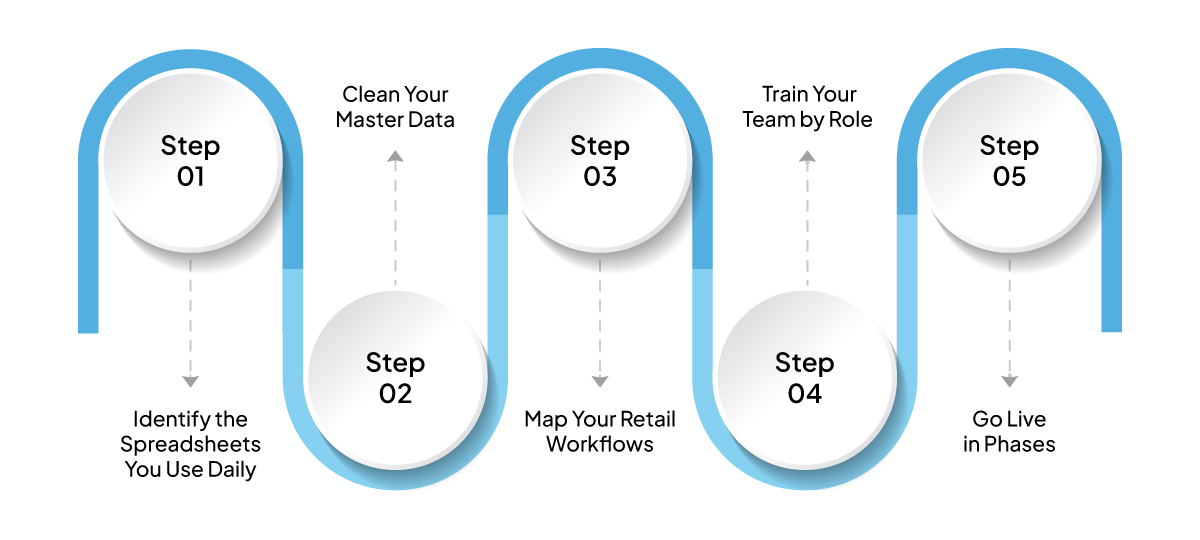
Step 1: Identify the Spreadsheets You Use Daily
List every file used for stock, billing, purchase entries, supplier payments, customer records, returns, and reports. This shows which workflows should move first.
Step 2: Clean Your Master Data
Before migration, remove duplicate products, correct item names, standardise SKU codes, and check opening stock. Clean data makes the new system easier for everyone to use.
Tip: Treat migration as a chance to fix old spreadsheet habits instead of carrying them into a new ERP.
Step 3: Map Your Retail Workflows
Before moving the data, note how work actually happens in the store. Map the full flow for sales, purchases, returns, stock transfers, payments, and reports.
This helps VasyERP follow your daily process instead of forcing your team to adjust later.
Step 4: Train Your Team by Role
Not every team member needs full system access. A cashier may only need billing access, while a store manager may need stock and sales reports. The accounts team may need ledgers, payments, and VAT records.
VasyERP supports role-based access, so each person sees the tools and data needed for their work.
Step 5: Go Live in Phases
Start with core billing and inventory. Then add accounting, CRM, reporting, omni-channel integrations, and advanced controls. This makes Excel to ERP migration easier for the team to handle.
Why UAE Retailers Choose VasyERP
UAE retailers need a system that supports store operations, inventory accuracy, VAT-ready accounting, branch control, and online-offline selling.
VasyERP works as a retail management system UAE businesses can use across supermarkets, fashion stores, FMCG outlets, pharmacy-style retail, wholesalers, distributors, and multi-location businesses.
Its core strengths include:
- Retail POS with fast billing for barcode scanning, refunds, exchanges, cash register tracking, and multiple payment modes
- Retail inventory management software that UAE retailers can use for stock sync, expiry alerts, bulk item upload, variant management, and stock audit
- Multi-location control for stock transfers, central discounts, location-wise stock management, and central reporting
- Customer engagement tools for loyalty, coupons, offers, SMS, WhatsApp promotions, reminders, and feedback links
When comparing the best ERP for retail UAE businesses, the right choice depends on daily fit. The system should suit your store format, local compliance needs, staff comfort, and growth plans.
Frequently Asked Questions (FAQs)
Retailers switch from Excel to ERP when spreadsheets become too slow, risky, or disconnected. ERP helps connect billing, inventory, accounting, purchases, reports, and customer data in one system.
The biggest Excel limitations for retail business operations include manual entry errors, delayed stock updates, weak access control, poor audit trails, slow reporting, and difficulty managing multiple stores or sales channels.
It becomes easier when you clean your data first, map workflows clearly, and train users by role. VasyERP helps retailers move from spreadsheets to ERP in a structured way.
Yes. VasyERP supports central inventory, stock transfers, location-wise stock tracking, central reporting, and multi-location operations. This makes it useful for UAE retailers with branches or warehouses.
No. VasyERP supports single-store retailers, growing SMEs, wholesalers, distributors, and enterprise businesses. Retailers can start with core operations and add more modules as the business grows.
Conclusion: Move From Excel to ERP With Better Retail Control
Excel is useful for simple tracking, but retail growth needs stronger control. Once your business handles more SKUs, staff members, suppliers, locations, and customer touchpoints, spreadsheet errors can start affecting sales, stock accuracy, margins, and decisions.
That is why many UAE retailers are moving from Excel to ERP. The shift gives them cleaner billing, real-time inventory, connected accounting, better reports, and stronger control across stores and channels.
- 0
- 0
- 0