Quick Summary:
Accounts payable has a direct effect on cash flow, supplier relationships, payment timing, and the accuracy of day-to-day finance records. This guide covers accounts payable in a practical way and shows how South African businesses can manage it with better control as operations grow.
You'll walk away knowing:
- The accounts payable meaning in accounting, and where it sits in the books
- How the accounts payable cycle moves from invoice receipt to final payment
- Common trade payables examples businesses deal with every month
- The difference between AP and AR
- Which features matter most in accounts payable software, including AP automation
Most businesses receive goods or services before they pay for them. Stock may arrive from a supplier with 30-day credit terms, or an IT vendor may bill at the end of the month. Until those amounts are paid, they sit under accounts payable.
AP has a direct impact on invoice review, payment planning, cash control, and supplier relationships. A weak process usually leaves finance teams chasing missing paperwork, reworking errors, and trying to piece together unpaid supplier balances.
That gets harder in South Africa when businesses are also keeping up with supplier terms, VAT records, routine expenses, and more invoices coming in each month. A dependable accounts payable process helps keep payment activity easier to track.
What is Accounts Payable?
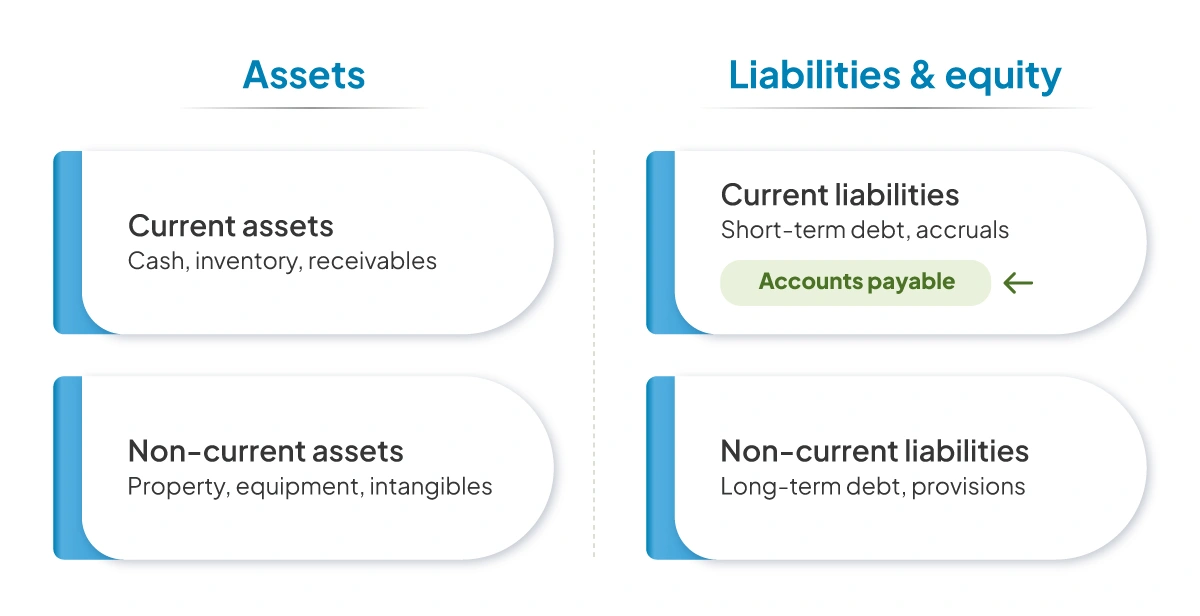 Accounts payable refers to money a business owes for goods and services received from suppliers or service providers but not yet paid for. The accounts payable meaning in accounting is a current liability because the payment is still outstanding in the short term.
It appears on the balance sheet and helps the finance team keep an eye on pending payments, due dates, and supplier balances.
Why Accounts Payable Matters for Businesses in South Africa
The payment process gets harder to manage as the business gets bigger. A larger supplier base, more purchases, more service agreements, and more branches can quickly add to the workload. A disciplined accounts payable process helps businesses:
- Know which amounts need to be paid and by what date
- Avoid duplicate invoice payments
- Cut down on late fees and supplier disputes
- Plan cash outflows with more confidence.
- Keep supplier relationships steady.
- Maintain cleaner records for reporting and audit support.
How Accounts Payable Works in Day-to-Day Business
The AP process is not difficult to describe, but it only runs properly when each stage is handled on time and recorded as it should be.
Step 1: Receiving the Supplier Invoice
The process starts with the invoice sent by the supplier. That invoice should show the supplier name, invoice number, invoice date, billed goods or services, value, VAT details where applicable, payment terms, and the due date.
Step 2: Verifying the Invoice Details
This is the point where the invoice is checked against the purchase itself. The amounts and quantities should be right, the VAT treatment should be correct, the supplier details should match, and there should be confirmation that the goods or services were received.
If the business uses purchase orders, the invoice is usually checked against the PO and the goods receipt note.
Step 3: Recording the Payable in the Accounting System
Once the invoice has been checked, it is posted in the accounting or ERP system. Once it is posted, the invoice shows up in the system as an unpaid supplier balance.
Step 4: Approving the Payment
The invoice is usually checked by whoever has authority to approve payments, such as a department head, store manager, finance lead, or business owner. When more invoices start coming in, this step can slow down quickly.
Some invoices sit in someone’s inbox, some move ahead without much review, and some end up getting chased over email.
Step 5: Processing and Closing the Payment
Once approval is complete, the business processes the payment through bank transfer, EFT, cheque, or another accepted payment method. The system is then updated to show that the invoice has been paid.
At that point, the amount is removed from the outstanding payable list, and the record is closed.
How to Record Accounts Payable
Recording accounts payable properly keeps financial records accurate and makes the payment process easier to manage. In most businesses, the workflow follows five basic steps. 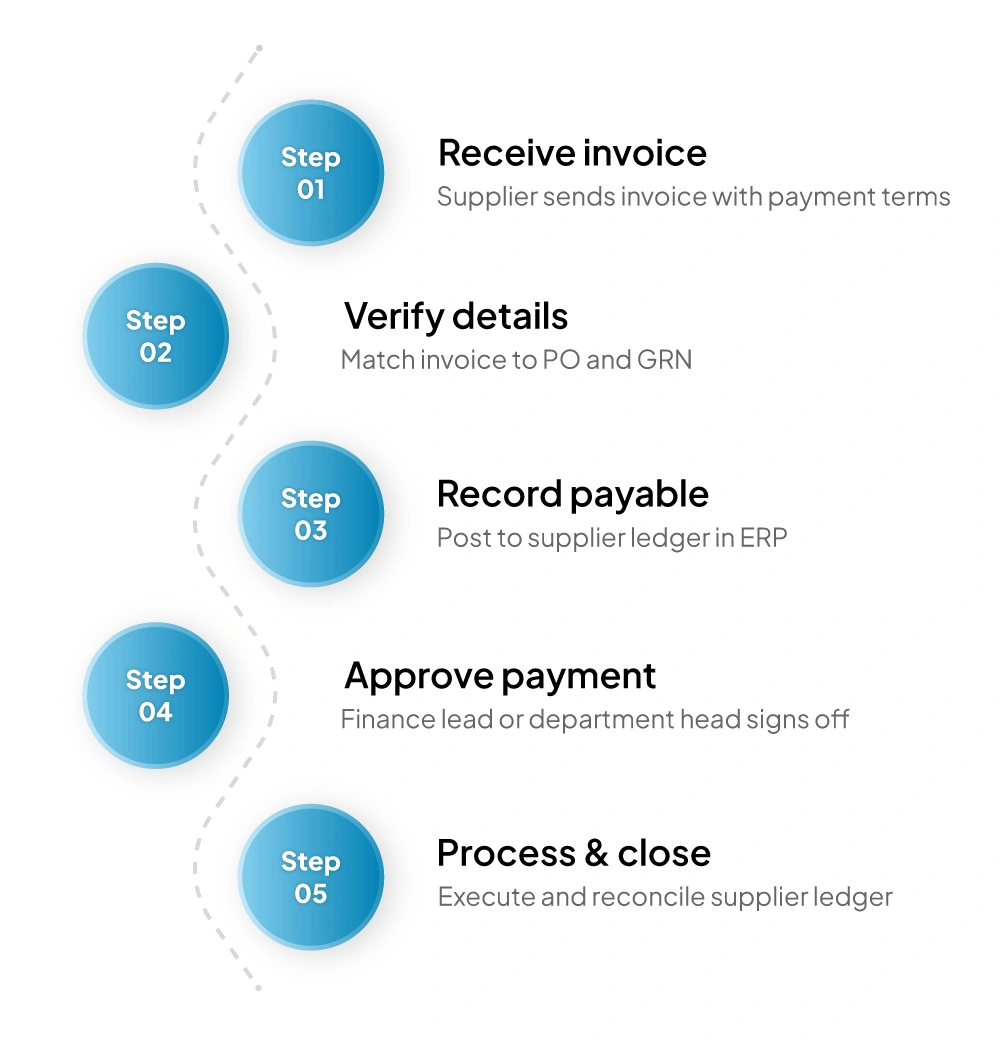 1. Receive the Invoice Begin with the supplier invoice and confirm that the basic details are present, including the supplier name, invoice date, amount, and payment terms.
2. Verify the Invoice Compare the invoice with what was ordered or received. Check quantities, prices, and tax details before recording them in the system.
3. Record the Payables Enter the invoice in the accounting system under the supplier ledger. This is the point at which the debits and credits amount becomes part of accounts payable.
4. Schedule the Payment Assign the payment date based on the agreed credit terms. This helps the finance team plan outflows and avoid last-minute payment pressure.
5. Process the Payment Pay the supplier on or before the due date, then update the record so the invoice no longer appears as outstanding. Match the invoice and receipt to the purchase order and proof of receipt before posting it.
Common Examples of Accounts Payable
These are some of the most common trade payables examples seen in day-to-day operations.
1. Purchasing Inventory From Suppliers
A retailer may buy packaged goods from a wholesaler on 30-day credit. The goods are delivered first, while payment is made later. Until that invoice is settled, it remains under accounts payable.
2. Buying Office Supplies on Credit
Office purchases such as stationery, packaging material, printer cartridges, or admin supplies are often billed with short credit terms. Those unpaid amounts also sit in the AP ledger until the business clears them.
3. Paying Service Providers (Consultants, Cleaning, IT Services)
A consultant may send a monthly invoice, a cleaning contractor may bill for branch servicing, or an IT support provider may charge for routine maintenance. These supplier invoices all form part of accounts payable until payment is made.
4. Utility Bills and Business Subscriptions
Electricity, internet, phone bills, cloud software, and other ongoing subscriptions often fall into AP when the service is used first and paid for afterwards.
Key Differences Between AP and AR
Accounts payable and accounts receivable deal with money moving in opposite directions. AP covers what the business owes suppliers, while AR covers what customers owe the business.
| Basis | Accounts Payable (AP) | Accounts Receivable (AR) |
|---|---|---|
| Meaning | Money the business owes suppliers | Money customers owe the business |
| Accounting Treatment | Current liability | Current asset |
| Trigger | The business receives goods or services on credit. | The business sells goods or services on credit. |
| Cash Flow Effect | Leads to future cash outflow | Leads to future cash inflow |
| Main Focus | Paying suppliers on time and accurately | Collecting customer payments on time |
| Example | Supplier invoice for stock bought on 30-day credit | Customer invoice raised for goods sold on 30-day credit |
How Accounts Payable Impacts Cash Flow
Accounts payable has a direct link to the cash flow statement because it controls when money leaves the business.
1. Managing Payment Timelines
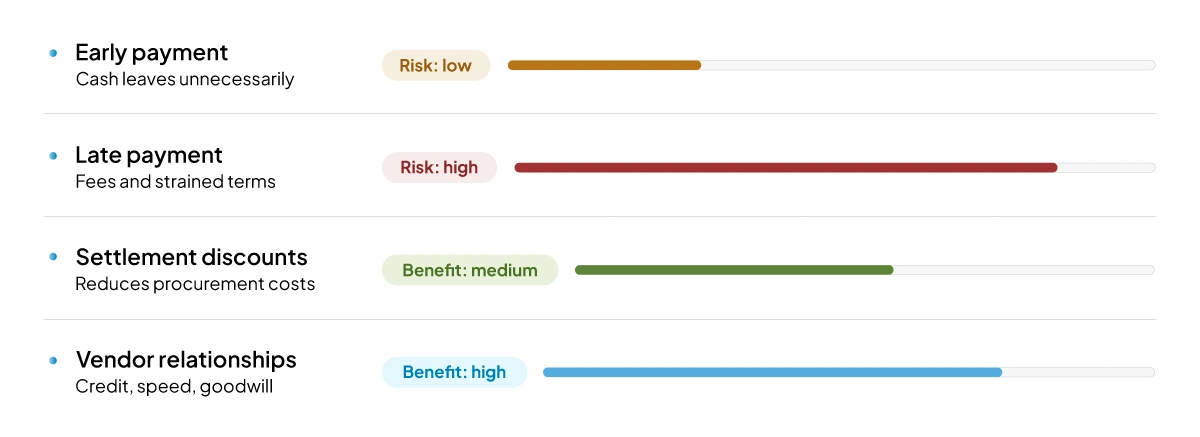
Early payment can reduce cash on hand without giving much back in return. Late payment can lead to fees, supplier pressure, or hold-ups in supply. Better AP control helps businesses pay when they are supposed to.
2. Avoiding Late Payment Penalties
Once a payment is overdue, the supplier may start following it up more aggressively, and additional charges may apply. If that happens often, payment terms may become less favourable.
3. Leveraging Early Payment Discounts
Early settlement discounts can make a real difference in repeat purchases. Where cash is available, taking it can help reduce spending over time.
4. Maintaining Strong Vendor Relationships
Suppliers notice when payments are handled properly. Businesses that pay on agreed terms are often in a better position when they need credit support, faster delivery, or quicker issue resolution. Check upcoming due dates every week instead of leaving it until month-end.
Interesting Fact 39% of companies had experienced invoice rejections due to tax or invoicing compliance errors.
Source:Basware
Key Metrics Businesses Track in Accounts Payable
Finance teams usually track a few AP metrics to see how the process is performing and how payment timing is affecting working capital.
1. Accounts Payable Turnover Ratio
This ratio shows how many times a business pays its average accounts payable balance over a set period. Over time, this helps finance teams assess payment habits and supplier credit use.
2. Days Payable Outstanding (DPO)
DPO shows the average time a business takes to pay its suppliers. A very low DPO may show that the business is paying too quickly, while a very high DPO can create pressure with suppliers if it stretches beyond agreed terms.
3. Cash Conversion Cycle (CCC) and AP’s Role
The cash conversion cycle measures how long it takes for money spent on operations to return through collections. AP influences that cycle because supplier credit delays the actual cash outflow.
Managed well, it gives the business more room to balance inventory, sales, and payment timing. Managed poorly, it can lead to supplier pressure and unstable cash planning.
Features to Look for in Accounts Payable Software
Look for these features in accounts payable software:
- Invoice Capture and Centralised Records: The system should pull invoices into one place so the finance team is not working across paper files, inboxes, and scattered trackers.
- Approval Workflows: Built-in approval routing helps invoices move to the right person without unnecessary follow-up.
- Supplier Ledger Visibility: The software should show outstanding supplier balances clearly so payment planning becomes easier.
- Document Trail and Audit Support: Each invoice should have a full record of receipt, verification, approval, and payment history.
- Tax and Compliance Support: The system should support cleaner VAT records, reconciliations, and reporting.
- Automation Features: Businesses should look for tools that can pull in invoices automatically and match them against supporting documents and records; send them through approvals; issue reminders; catch duplicates; and get them entered into the system more quickly.
Automate Your Accounts Payable With VasyERP
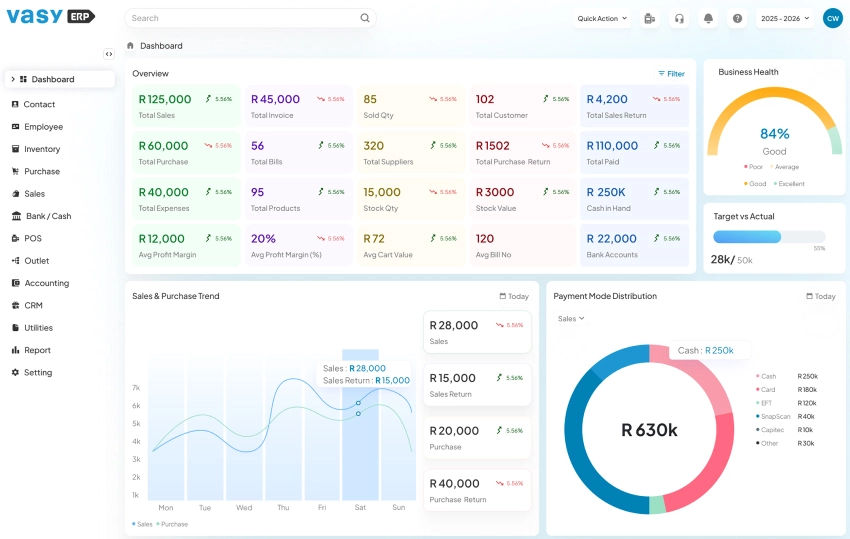
A lot of businesses begin with a short list of supplier invoices that feels manageable enough. The pressure shows up later, once the number of bills goes up and the team is trying to keep track of them across spreadsheets, email threads, and separate records.
VasyERP helps bring accounts payable into one connected workflow by linking supplier entries, approvals, due dates, finance records, and reporting. Instead of tracking bills payable in different places, teams get one view of what is outstanding, what has been approved, and what needs to be paid next.
FAQs Regarding Accounts Payable
When the payable is first recorded, accounts payable is entered as a credit. Once payment is made, the account is debited to bring that balance down.
Accounts payable is shown under current liabilities on the balance sheet because it represents short-term amounts the business still owes.
The accounts payable process usually starts when a supplier invoice is received. The invoice is reviewed, recorded in the system, approved for payment, scheduled, and then paid to the supplier.
Yes. Many routine accounts payable tasks can be automated, including invoice capture, approval workflows, duplicate checks, payment tracking, and record updates.
Businesses can reduce accounts payable errors by matching invoices correctly, using approval workflows, centralising records, checking for duplicate entries, and using integrated accounting systems.
Last Updated on June 28, 2026