Complete POS and ERP Training Guide for Retail Staff in India
June 15, 2026

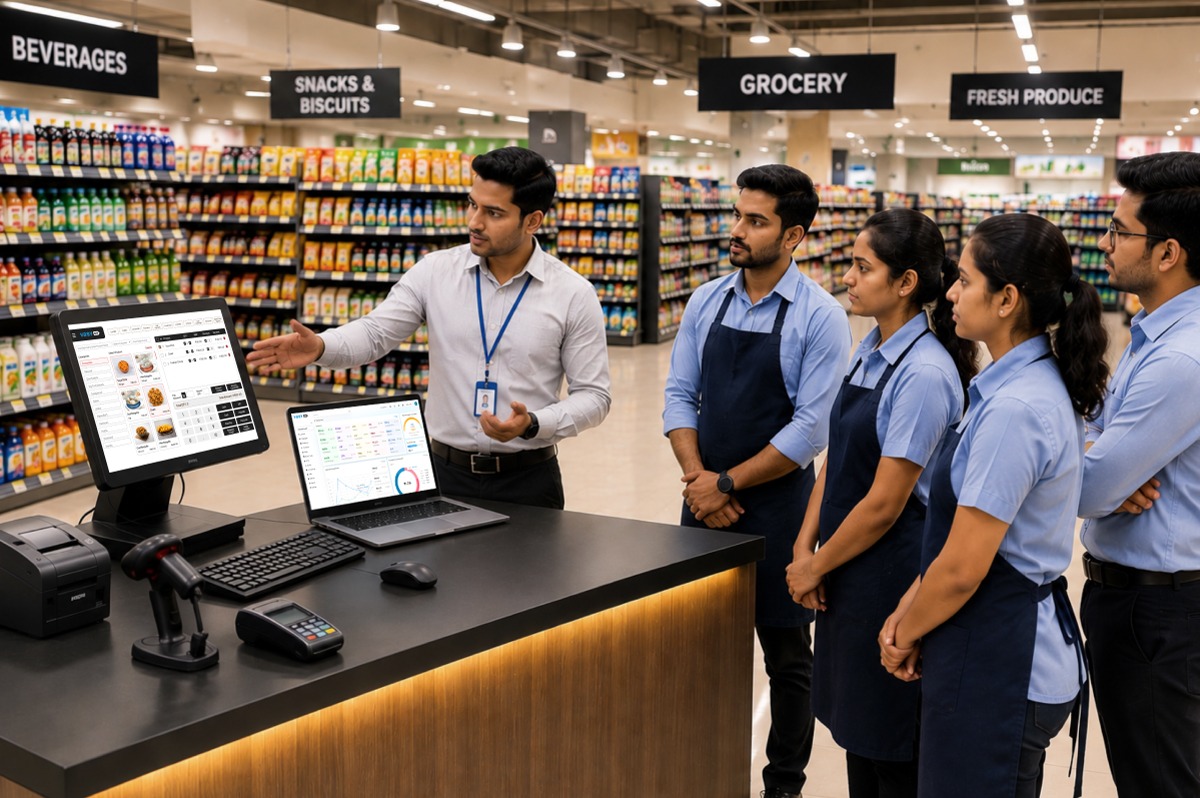
Retail employees require proper training before they can function properly within their retail establishment. A well-functioning company will not improve their productivity unless they properly train their employees. Employees on a POS system invoice their customers, make returns, and handle customer service requests as outlined in the system.
When an employee receives adequate ERP and POS training, he or she feels confident using the system. Thus, we minimize errors, improve the customer’s experience, and help the retail establishment achieve a better return on their investment in the software system.
The goal of this blog post is to provide how to train retail employees effectively and avoid those mistakes.
Many retailers spend money on software, but they do not provide training for their employees. After just a couple of months, this approach leads to employee confusion and frustration.
Some store owners only provide their employees with one training session. However, employees often forget how to complete the various steps after just a few days.
Other retailers train all employees under the same conditions. A cashier and an inventory clerk perform different functions and are therefore going to require different types of training.
Language is another problem while learning how to use ERP or POS software. Many of these employees may not be able to fully grasp the software terminology in English, which is going to inhibit their ability to learn.
High employee turnover at retail stores also results in a lack of effective training. A retailer hires new employees every day and owners or managers may often skip the onboarding process for new employees and provide no proper training at all.
When employees do not receive proper ERP or POS training, they will make mistakes in using the software and there will be adverse effects regarding customer service, billing and inventory records.
All retail staff members utilize software in a unique way. Training is to be designed per the role of each employee.
Cashiers need training on:
They should practice transactions daily.
Store managers need training on:
Managers should understand operational reports clearly.
Inventory teams need training on the following:
Role-based training improves learning speed. Employees focus only on the tasks they perform every day.
Many stores confuse their employees by giving them too many advanced POS features. Your POS training should start with these 5 core workflows for each of your employees to learn.
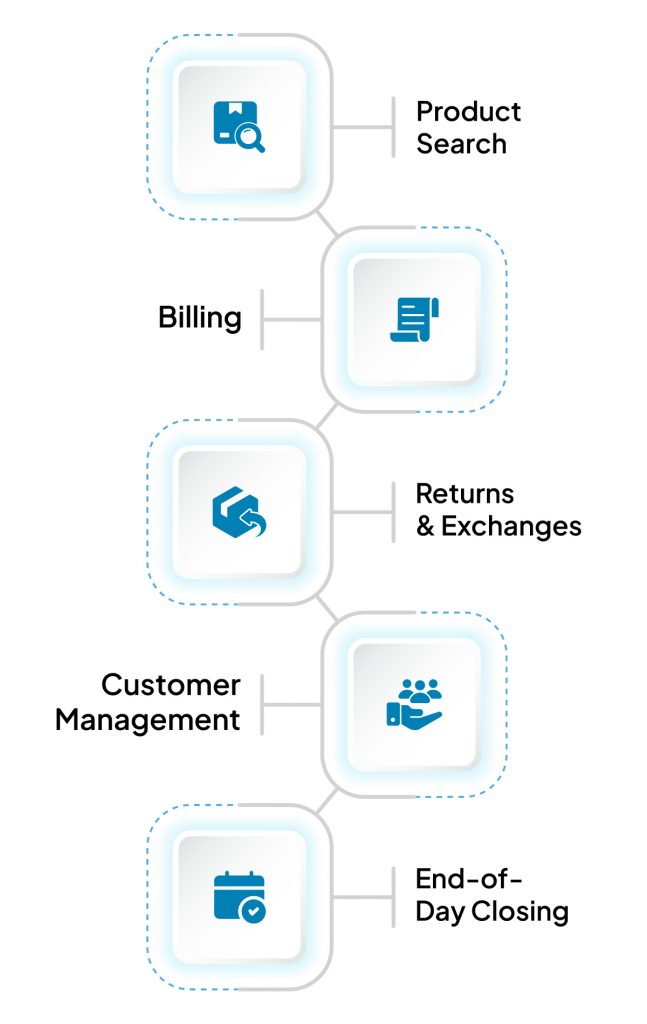
Employees should use product names, SKUs or barcodes to search the company computer system as quickly as possible.
Employees will learn how to bill accurately. Employees will learn how to apply the discount to the total and then complete payment.
Employees should understand each store’s return policies and how to process exchanges.
Employees should learn how to add customer information to the system, as well as how to retrieve customer purchase history.
Employees need to learn how to reopen billing counters, verify cash collected and close out the banking day.
These workflows will help employees get comfortable and provide a foundation for employees to learn about more advanced features later.
Many retailers hire individuals who do not have an extensive background in utilizing technology. This should not hinder their ability to implement new software systems.
Many times, stores will fail to implement their new software because of the blunders that can be avoided in the training portion by the owner of the store.
The following mistakes create confusion and reduce software adoption.
| Mistake | Impact |
| Conducting only one training session | Employees forget processes quickly |
| Training all employees together | Staff learn irrelevant tasks |
| Ignoring practical exercises | Employees struggle during live operations |
| Using complex technical language | Staff lose confidence |
| Skipping refresher sessions | Knowledge gaps increase over time |
| Not creating training documents | Employees lack support resources |
| Avoiding role-based training | Learning becomes slower |
| Delaying training until software launch | Employees face stress during implementation |
Store owners should build a structured training process. This improves software adoption across the organization.
There is often employee resistance to a change, especially when stores are moving from a manual billing system to an ERP System.
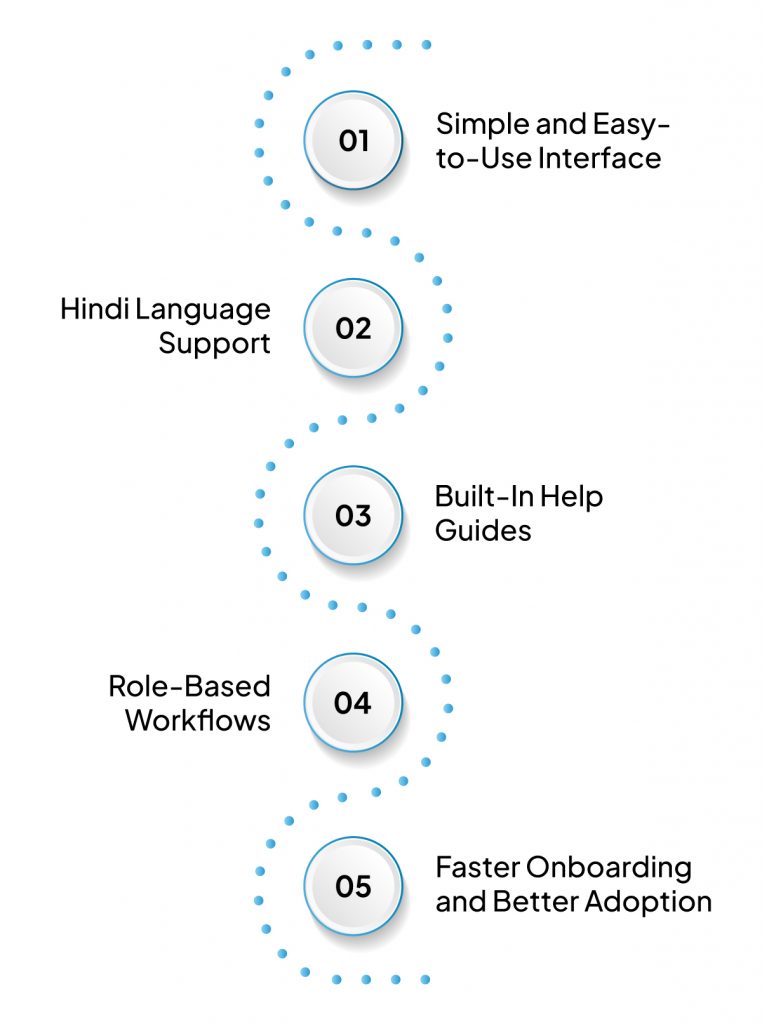
It is much simpler for employees to use VasyERP from day one of using VasyERP. This reduces a store’s training time for their employees and allows them to begin utilizing VasyERP with confidence because VasyERP is easy to use, provides support in the employee’s native language, and provides in-software, built-in help resources.
VasyERP is user-friendly and allows the employees to easily learn about important functionality of the software without much training. Employees learn to be productive sooner by using VasyERP.
Most retail employees are more comfortable learning in their preferred language (e.g., Hindi). By being able to learn in Hindi, VasyERP helps employees understand the material better and therefore makes training less confusing for employees.
Employees have access to built-in help resources within VasyERP (e.g., FAQ, user guides). This allows them to get answers to their questions while working and to find solutions to many of their common support needs without relying on a manager or VasyERP support.
VasyERP groups functionality depending on the employee’s job role. Consequently, cashiers, store managers and inventory team members will find what they need quickly. As a result, training will remain on-topic and focused.
The combination of intuitive navigation, language support, and in-system guidance allows companies to effectively train employees faster. As a result, new employees will get off to a better start faster and have the same level of software usage in all locations within their store.
POS & ERP training is effective in increasing retail business efficiency and reducing error.
The training should be role-based, simple, practical, and focused on core workflows.
The owner of the store should provide frequent practice and support for their employees.
Proper training will enable the employees to operate with confidence with their software and consistently provide excellent customer service. Similarly, training with the correct methodology and framework will yield better results and ultimately a higher level of store performance.
Finally, when organizations use structured training in conjunction with simple to operate software like VasyERP, they achieve faster software adoption rates and improve their overall business performance.
1. How long does it take to train retail staff on POS software?
In general, retail staff can complete basic operations on the point-of-sale (POS) system within a few days of training. Advanced workflows may take longer and may require some practice.
2. Should all retail staff get the same POS training?
No. Not all retail employees perform the same job functions. Employees should be trained according to their roles and responsibilities.
3. What should a retail staff training checklist include?
The checklist may contain the following items: billing, product lookup, returns, exchanges, customer management, inventory, end-of-day closing procedures.
4. What are the most common POS billing mistakes untrained staff make?
Common mistakes include selecting the wrong products, applying the wrong discount, processing duplicate sales, entering incorrect payments, and processing the wrong returns.
5. What is the best way to train retail staff who are not tech-savvy?
The best way to train retail staff who are not familiar with technology would be to speak simply without using any technical jargon; perform practical demonstrations of each task; allow time for hands-on practice; provide assistance in the staff member’s primary language; and schedule time for regular practice.
6. What kind of training is required for using an ERP system?
Every employee needs to be trained based on their role. The role will further determine how to use the following types of advanced systems: inventory management, purchasing, billing, reporting, stock movement, and workflow.


Best POS Software for Liquor Stores plays a major role ...
January 18, 2026

Why are business analytics useful for retailers? How do...
October 20, 2023

July 10, 2026

July 8, 2026

June 15, 2026

June 5, 2026

June 1, 2026